Adopt Me Script
49 features across 16 categories, updated weekly.
Adopt Me script preview
The real ZekeHub menu, rebuilt for the browser. Click around to try it.

Watch the Adopt Me script
Adopt Me Halloween Week 3 Script — Auto Spotlight, Auto Hauntlet, Auto Ghost Gallery & More · 16 Oct 2026
More Adopt Me script videos
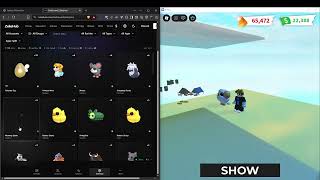

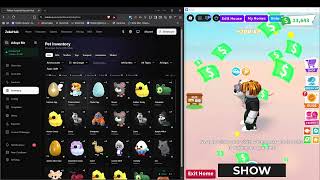
About the Adopt Me script
Looking for an Adopt Me script that actually stays updated? ZekeHub's Adopt Me script runs 49 features across 16 categories, covering Halloween Event, Pet Farm, Baby Farm, and more. With 45.1B visits, Adopt Me sits firmly in Roblox's RPG scene — the ZekeHub script keeps pace with its updates. Works with Potassium, Solara, Velocity, Volcano, Madium, and most other major Roblox executors, with weekly updates to stay compatible with the latest Adopt Me version.
Auto farm eggs and pets, auto claim Star Rewards, and buy the new Gemstone Egg automatically. Updated for the Star Rewards Revamp. Auto trade with trade modes, categories, blacklist rarities, global version and age filters, per-pet filters, specific item IDs with max counts, send to usernames, auto accept incoming and auto leave after trades. Auto neon and mega neon with pet selection and max per type. Auto recycle by rarity and version with keep and exclude lists. Auto age potion with version filter. Pet pen priority with egg and pet ordering. Auto buy, auto open gifts, auto pay players, auto use pet certificates, trade license. Account manager with FarmSync and FarmerV5, autoswap rules, folder routing, and triggers on bucks, potions or trade completion. Discord webhooks including a pet unlock webhook with rarity filtering.
New This Update
Auto claim Star Rewards and auto buy Gemstone and Star eggs, with farms updated for the revamped system.
Script Features
Pet farm, baby farm and egg farm with auto buy eggs, max pet limits, farm until full grown, friendship priority and selective pet farming. Auto Admin Abuse for Saturday events, with task exclusion.
About Adopt Me
Adopt Me is Uplift Games' pet-collecting life game — 45 billion visits and around 150,000 players at once. Hatch eggs, raise pets from newborn to full grown, age them with potions, and turn four full-grown pets into a neon or four neons into a mega neon. Trade in an economy where rarity and version drive value. Uplift ships a new update every Friday at 11:05 AM ET, runs Admin Abuse every Saturday for 30 minutes, and 2D Tuesday gives a pet that doubles Bucks and XP. Today's Star Rewards Revamp reworked the Star Rewards system and added the Gemstone Egg, a legendary egg costing 28 stars. The Fairytale Egg arrived on August 29, replacing the Endangered Egg.
Read the game description from RobloxHide the game description
Adopt and raise 🐶🦄👶, trade and collect legendary pets, build your dream home, and roleplay with friends!
🎪 Halloween: Stitches' Spotlight! 🎪
🐇 Survive, collect Candy, adopt Stitches!
🧦 Find Lost Sock at the Crypt for the Shoebill!
👻 Polterguy left out: Boohoo is here!
Be FIRST 🏆 To experience new updates by pressing 🔔NOTIFY.
Meet the founders!
NewFissy - Tech Director
Bethink - Creative Director
Find out more about Uplift Games, our policies and creative attributions:
https://devforum.roblox.com/t/credits/71812
Description sourced from Roblox.
All 49 Adopt Me features
49 features across 16 categories: Main, Event Farm, Task Exclusion, Pet Pen, Auto Age Potion, Status, Auto Recycle, Auto Neon/Mega, Misc, Auto Trade, Auto Buy, Auto Open, Auto Pay, Settings, Account Manager, Menu.
Show all 49 featuresExpandCollapse
Main
- Pet Farm — Enable pet farming system
- Baby Farm — Enable baby farming system
- Farm Eggs — Farm eggs instead of regular pets
- Egg Types to Farm — Empty = any egg
- Auto Buy Eggs
- Egg Type to Buy (default any)
- Max Pets
- Max Pets (1 to 2, default 1)
- Farm Until Full Grown — Prioritize pets that aren't full grown
- Prioritize Friendship — Prioritize pets with higher friendship level
- Selective Pet Farming — Only farm specific pet types
- Pet Types to Farm — Select which pet types to prioritize
Event Farm
- Auto Admin Abuse — Always on - collects star and item drops whenever an admin abuse event is active
- Halloween Event — Halloween 2026 event farming
- Candy Corn Pile — Claim the Candy Corn Pile (requires the 1.25x Candy Multiplier gamepass)
- Feed Stray Cat — Feed the Stray Cat once per day/night cycle for candy (uses any normal food)
- Crypt Coffins — Use Rusty Keys on the ladder coffins and claim the Mummy Spider at the bottom (also opens twig coffins until the pigeon nest is done)
- Pigeon Nest — Put Crypt Twigs in the Haunted Hotel nest to unlock the Jacobin Pigeon
- Ghost Gallery — Play the Ghost Gallery minigame every round
- Hauntlet — Play the Hauntlet 2 door minigame every round, picking the safest door each room
- Spotlight — Play the Spotlight circus minigame every round, collecting candy corn while dodging the spotlights
- Shoebill Gifts — Give the Shoebill its Lost Socks and Headphones from the Crypt
Task Exclusion
- Task Exclusion — Skip specific tasks when farming
- Tasks to Exclude — Select tasks you want to skip
Pet Pen
- Pet Pen — Puts pets and eggs into the pet pen so they gain XP while you farm
- Eggs — Populated dynamically - egg IDs in priority order, empty = any egg
- Pets — Populated dynamically - pet IDs in priority order, empty = any pet
- Priority (default egg) — Multi-select - what claims a free pen slot first, reorder to age pets before eggs
- Excluded — Populated dynamically - never penned, accepts :version and :age:N e.g. shadow_dragon, basic_egg_2022_corgi:neon
Auto Age Potion
- Auto Age Potion — Automatically use age potions on selected pets
- Select Pets to Age — Select pet types to use potions on
- Version Filter — Per-pet version filter e.g. dog=neon,cat=regular/neon - empty = all versions
- Refresh Pet List — Refresh the pet list in dropdown
Status
Auto Recycle
- Auto Recycle — Automatically recycle pets for rewards. Runs inline with the farm - it only scans when something actually matches, skips the trip to the Nursery when you are already there, and puts Pet Farm and Baby Farm back the way it found them. Holds off while Auto Potion or a house swap is running instead of fighting them for your character
- Common Versions (default regular) — Multi-select - empty = skip this rarity
- Uncommon Versions (default regular) — Multi-select - empty = skip this rarity
- Rare Versions (default regular) — Multi-select - empty = skip this rarity
- Ultra Rare Versions (default regular) — Multi-select - empty = skip this rarity
- Legendary Versions (default regular) — Multi-select - empty = skip this rarity
- Pets — Populated dynamically - always recycled regardless of the rarity filter, accepts :version and :age:N e.g. basic_egg_2022_corgi:regular, basic_egg_2022_ant:age:1
- Keep — Text input - keep this many of a pet and recycle the rest e.g. basic_egg_2022_ant=4, basic_egg_2022_camel=4
- Excluded — Populated dynamically - never recycled, accepts :version and :age:N e.g. shadow_dragon, basic_egg_2022_corgi:neon, basic_egg_2022_ant:age:6
Auto Neon/Mega
- Auto Neon — Automatically create neon pets when possible. Auto Potion takes priority - neoning waits while potions are being used, and a fuse in progress stops the moment Auto Potion needs the pets
- Make Mega Neon — Fuse neons into mega neon
- Neon All Pets — Neon everything possible
- Pets to Neon — Only these pets will be neoned (when Neon All Pets is off)
- Max Per Type — Per-type limits e.g. dog=2,cat=1
Misc
- Webhook — Send Discord webhook notifications
- Webhook URL (default https://discord.com/api/webhooks/)
- Pet Unlock Webhook — Send webhook when unlocking pets
- Pet Unlock Webhook URL (default https://discord.com/api/webhooks/)
- Rarity Filter (default common) — Multi-select - only send webhook for these rarities
- Auto Use Pet Certificate — Auto redeems Pet Handler Pro Certificate when less than 30 days remaining
- Get Trade License — Automatically get trade license
Auto Trade
- Auto Trading — Enable automatic trading system
- Auto Accept Incoming — Automatically accept incoming trade requests
- Auto Leave After Trades — Leave game when all items have been traded
- Send To Usernames
- Target Usernames — Comma separated e.g. player1, player2
- Trade Mode
- Mode (default all)
- Trade Categories
- Categories (default pets) — Multi-select
- Blacklist Rarities — Rarities that are never offered in a manual or auto trade. Anything already selected of that rarity is pruned out of your selection as soon as you blacklist it
- Rarities (default common) — Multi-select
- Global Pet Filter — Fallback filter for pets not listed in Per-Pet Filters
- Versions (default regular) — Multi-select - empty = all versions
- Ages (default 1 - Newborn) — Multi-select - empty = all ages. Mega ignores ages
- Per-Pet Filters — Per-pet overrides (overrides global filter)
- Filters — petId=version+version:ages,... | Ex: mochi_meow=regular:6+neon+mega,turtle=mega
- Specific Items — Used when Trade Mode is 'specific'
- Item IDs — Comma separated e.g. dog,cat,sandwich
- Max Counts — Comma separated max per item e.g. 30,12 (empty = unlimited)
Auto Buy
- Auto Buy — Automatically purchase selected items
- Items to Buy — Star rewards work too e.g. star_egg, multiplier_2x or star_rewards|royal_egg - the first one becomes your Star Rewards goal and is bought whenever you have the stars
- Buy Amounts — Empty = infinite. Example: 5,10 means buy 5 of first item, 10 of second
- Buy Now — Manually trigger buy process
Auto Open
- Auto Open — Automatically open gift boxes
- Gifts to Open
- Refresh Gift List — Update available gifts
Auto Pay
- Auto Pay Player — Automatically pay other players via register, mannequin or hotdog stand
- Target Players — Comma-separated usernames e.g. player1, player2, player3
- Methods (default register) — Multi-select - register (cash register), mannequin (buy outfits), hotdog (refreshment stands)
Settings
- Show Overlay — Shows stats overlay and disables 3D rendering
- Reduce Graphics — Sets graphics to minimum quality
- FPS Cap
- FPS (0 to 240, default 0) — 0 = Uncapped
- Trade Invites
- Trade Invites (default Everyone)
- Lure — Default lure to use
- Lure ID (default ice_dimension_2025_ice_soup_bait) — Text input - lure item ID
Account Manager
- Account Manager — Swap/kick accounts when triggers are met
- Tool (default kick)
- FarmSync Action (default completed)
- FarmSync From Folder ID — Text input - fresh cookies folder ID
- FarmSync To Folder ID — Text input - done cookies folder ID
- Change Without Replacement
- FarmSync Config ID — Text input - config for new account
- FarmSync API Key — Text input - FarmSync device key
- FarmerV5 API Key — Text input - FarmerV5 API key
- FarmerV5 Action (default swap)
- FarmerV5 Autoswap Rule (0 to 9999, default 1)
- Trigger After Trade Complete — Requires Auto Leave After Trades
- Min Bucks Trigger (0 bucks to 10000000 bucks, default 0 bucks)
- Min Potions Trigger (0 to 1000, default 0)
Menu
- Copy All Pets — Copy all pet definitions to clipboard
- Copy All Pet Accessories — Copy all pet accessory definitions to clipboard
- Copy All Toys — Copy all toy definitions to clipboard
- Copy All Food — Copy all food definitions to clipboard
- Copy All Transport — Copy all transport definitions to clipboard
- Copy All Gifts — Copy all gift definitions to clipboard
- Copy All Stickers — Copy all sticker definitions to clipboard
- Unload — Unload the script
- Menu Keybind
- Menu keybind (default key End)
Adopt Me script FAQ
01What is the Adopt Me Mass Farm, and is it included in the hub key?
The Adopt Me Mass Farm runs bots on many Roblox accounts at once, all controlled from the ZekeHub web dashboard. It's a separate product, NOT included in the £6.99 Monthly or £18.99 Lifetime hub key, and a Mass Farm key doesn't include the hub scripts.
02What executors are compatible with the Adopt Me script?
It's compatible with Potassium, Solara, Velocity, Volcano, Madium, and the other big executors. Check the ZekeHub Executors page for current compatibility and which are working right now.
03What's the price of the Adopt Me script?
Adopt Me Mass Farm pricing is tab-based: 100 tabs for 30 days is £6.99, and the per-tab rate drops as you add more. Pick your tabs and duration on the Pricing page.
04What features does the Adopt Me script have?
Yes — the Adopt Me script includes automation, on top of 48+ other features across 16 categories.
05What's in the Auto Trade section of the Adopt Me script?
The Auto Trade section is the largest part of the Adopt Me script with 10 features, including Auto Trading, Auto Accept Incoming, Auto Leave After Trades, Send To Usernames, and more. The other categories are Main, Event Farm, Task Exclusion, and Pet Pen.
06Does the Adopt Me script still work after game updates?
Every week. Adopt Me patches and Roblox updates get matched in the weekly cycle, with fixes pushed when a game update breaks something.
More questions? See the full FAQ →