Bridger Western Script
Built specifically for Bridger Western, the ZekeHub Bridger Western script gives you 36 features (Silent Aim, No Recoil, Full Auto, and more) organised into 6 clean categories. Expect silent aim, ESP, and speed alongside the rest of the 36-feature set. Bridger Western pulls 82.1M visits, so it gets active attention whenever the game patches. Run it on Swift, Volcano, Madium, Volt, Wave, or any other supported executor; weekly updates mean it tracks Bridger Western as the game changes.
36
Features
6
Categories
3.9K
Playing Now
About Bridger Western
All·82.1M visits·3.9K playing now
About Bridger Western
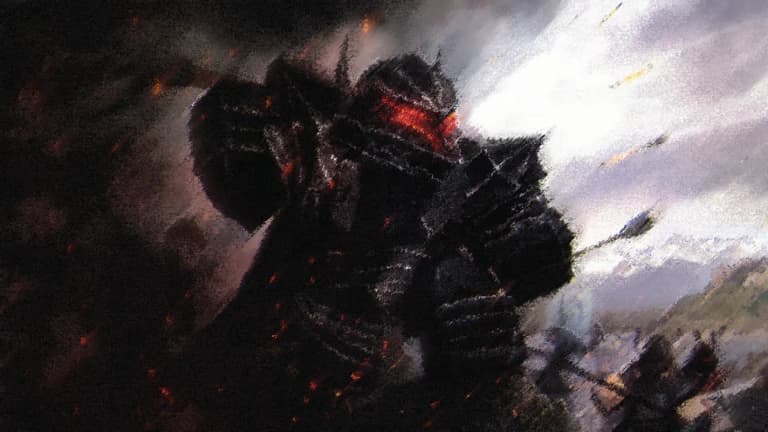
Mankind in their expansion west have settled within Ridge. B Valley, a grueling and untouched wilderness rumored to hold an ancient curse. Beasts hunt and forces beyond mortal reach skulk these grounds, their chaos trapped and anchored by those who came long before them.
Your place within the valley is yet to be decided, whatever path you choose to walk down danger remains a constant.
-Basic Controls-
Q - Quick dash
W+W - Sprint
R - Reload (With Weapon)
M1 - Fire (With weapon)
M2 - Aim in (With weapon)
G - Melee (With weapon)
X - Ocular Prowess
C - Fists
F - Block (With fists out)
M - Statistics Menu
H - Summon/Unsummon horse
N - Ride horse/Dismount
MAKE SURE TO HAVE A CLIPPING SOFTWARE SUCH AS MEDAL, SHADOWPLAY ETC IF YOU WOULD LIKE TO BE UNBANNED FROM ANTICHEAT.
(This game is in Early Alpha, meaning that everything is work in progress, and subject to change.)
Some clothing in game is made by Blotnik
Description sourced from Roblox.
Bridger Western Script Features
36 features across 6 categories: Silent Aim, Gun Modifications, Visuals, Player, Horse Mods, ESP Settings.
Silent Aim
Gun Modifications
Player
ESP Settings
Visuals
Horse Mods
Recommended executors for Bridger Western
The ZekeHub Bridger Western script runs on any major Roblox executor. These are tested and working — the full executors list shows live status.
How to run the Bridger Western script
Six steps from key to in-game menu.
- 1Get a supported executor — see the compatible executors list.
- 2Get a ZekeHub key from the pricing page.
- 3Launch Bridger Western on Roblox and join a server.
- 4Open your executor and inject it into the running game.
- 5Paste the ZekeHub loadstring below and execute it.
- 6The Bridger Western script menu loads in-game, ready to use.
Bridger Western Script — Frequently Asked Questions
Common questions about the ZekeHub Bridger Western script.
01How do I use the Bridger Western script?
You need a compatible executor (Volcano, Madium, Volt, and Wave) and a ZekeHub subscription. Launch Bridger Western, inject, run the ZekeHub loadstring, and the full Bridger Western menu appears in-game.
02Can I run the Bridger Western script on my executor?
Use any major executor: Swift, Volcano, Madium, Volt, and Wave, among others. The Executors page tracks which are up to date day-to-day.
03What's the price of the Bridger Western script?
Pricing is £6.99 monthly or £18.99 lifetime for the Bridger Western script and the other hub scripts; lifetime works out cheaper than three months.
04What's in the ESP Settings section of the Bridger Western script?
The ESP Settings section is the largest part of the Bridger Western script with 15 features, including Player ESP, NPC ESP, Chest ESP, Show Stand, and more. The other categories are Silent Aim, Gun Modifications, Visuals, and Player.
05What features does the Bridger Western script have?
Yes — the Bridger Western script includes silent aim, ESP, and speed, on top of 31+ other features across 6 categories.
06Is the Bridger Western script kept up to date?
Updates land weekly, so the Bridger Western script keeps working through patches; if a feature drops after an update it's typically restored the same day.