Gakuran Script
44 features across 9 categories, updated weekly.
Gakuran script preview
The real ZekeHub menu, rebuilt for the browser. Click around to try it.

Watch the Gakuran script
Gakuran Script — IGNORE HITS, Auto Parry, No Swing Lag, Auto Reroll & ESP (QOL3) · 4 Oct 2026


About the Gakuran script
Looking for a Gakuran script that actually stays updated? ZekeHub's Gakuran script runs 44 features across 9 categories, covering Auto Parry, Anti Parry, Break Block, and more. It covers the essentials Gakuran players want: speed, teleport, and automation. Gakuran is a Roblox experience with 258.3M visits, and the script is tuned to how the game actually plays. Works with Solara, Velocity, Volcano, Madium, Volt, and most other major Roblox executors, with weekly updates to stay compatible with the latest Gakuran version.
Auto parry with ping compensation, and it evades automatically when parry is on cooldown. Plus code redemption to stack rerolls.
Parry
Auto parry on M1 and M2 with parry distance, ping compensation and adjustable failure chance. Evades automatically when parry is on cooldown. Heavy parry limited to armored styles only, plus only-if-facing, face attacker, notify and whitelist. Anti parry on its own keybind. Break block with mode, break distance, max dashes and M1 after.
Reroll
Redeem all codes to stack free rerolls, then auto reroll to a target stat and value, with height mode and custom target height.
Player
Infinite stamina, always sprint, no attack slowdown, no ragdoll, no stun, no block cooldown, no dodge cooldown, noclip, walk speed, high jump, restore jump, custom height, any style.
Misc
Auto play with accuracy control, auto green, auto revive.
ESP
Boxes, names, distance, health, style, stamina, crit cooldown, tracers, chams and hitbox display with transparency.
Teleports
Teleport to any player or location, plus server refresh and join by type.
Interface
Watermark showing health, stamina, ping and crit cooldown, keybind list, custom menu keybind.
About Gakuran
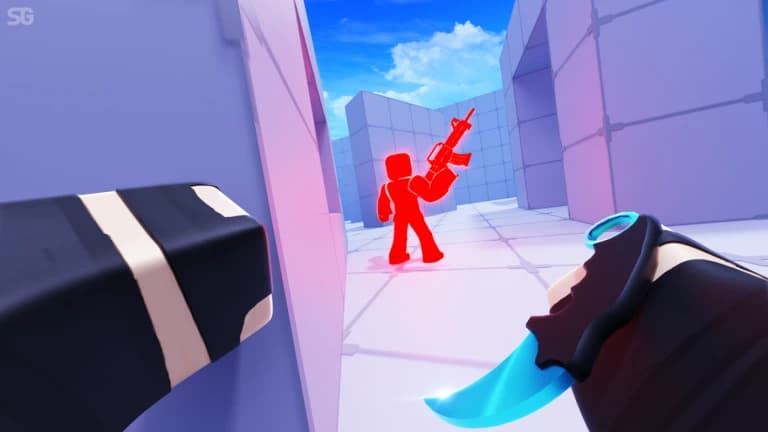
Gakuran is a Japanese school life sim that turns into a brawler the moment class ends — gang rivalries, rooftop fights, and combo-driven melee built around parry, dodge and block timing. Everything about your character is rolled at random: race, height, fighting style, clan, aura, accessories and face. Rerolls are the whole progression, and they're expensive, which is why codes almost exclusively hand out free ones. Height is tied to race, with around a 95% chance of rolling a Japanese student and only a 4% shot at the 6ft mark.
Read the game description from RobloxHide the game description
May, 2007 - Japan
An INTENDED Slice of Life experience (though I guess our community just loves to fight LOL)
Description sourced from Roblox.
All 44 Gakuran features
44 features across 9 categories: Parry, Servers, Misc, Player, Teleports, Reroll, ESP, Menu, Interface.
Show all 44 featuresExpandCollapse
Parry
- Auto Parry — Automatically perfect-blocks nearby M1s and M2s
- Auto Parry Keybind (default key P)
- On M2 (default Block) — What to do when a nearby M2 is detected
- On M1 (default Block) — What to do when a nearby M1 is detected
- Evade If Parry On Cooldown — When a second attack lands inside the block cooldown from your last parry, the server drops the block and you just eat it. With this on, Auto Parry dashes away from the attacker instead. Only applies while On M1 / On M2 is set to Block
- Heavy: Armored Styles Only — Only counter with the heavy if your style's heavy has i-frames, hyper armor or a counter window (Boxing, Ali, Wrestling, Wing Chun). Other styles just trade and lose, so they block instead
- Auto Equip — Pulls your fighting style out when a swing is coming at you. You cannot block with it put away, so without this Auto Parry does nothing until you equip
- Parry Distance (5 studs to 60 studs, default 20 studs) — Only react to attackers within this distance
- Ping Compensation (0% to 100%, default 100%) — How much of your ping to subtract from block timing
- Failure Chance (0% to 100%, default 0%) — Chance to intentionally miss a parry
- Only If Facing — Only parry attackers who are facing you
- Face Attacker — Snaps you to face the attacker right before blocking
- Notify — Shows a notification when Auto Parry reacts to an attack
- Whitelist — Populated dynamically - multi-select players ignored by Auto Parry
- Anti Parry — Baits enemy auto parry
- Anti Parry Keybind (default key K)
- Break Block — Gets behind blocking players to break their guard
- Break Block Keybind (default key B)
- Mode (default Dash) — Dash circles around their side with the real dash, Teleport snaps you behind them instantly
- Break Distance (2 studs to 20 studs, default 10 studs) — Only go after blockers within this range
- Max Dashes (1 to 3, default 2) — Dash mode only, how many dashes to spend getting to their back
- M1 After — Throws an M1 once you are behind them
Servers
- Refresh — Refreshes the server list
- Join Server — Joins the server selected in the list
- Type (default All) — Filters the list down to regular or roleplay servers
- Server — Populated dynamically - refresh to load the server list, or search a server name to reach the ones past the first 50
Misc
- Show All Characters — Stops the game hiding far players, so ESP, teleports and auto parry always see everyone
- Auto Play — Perfectly plays any song you start on an instrument
- AutoPlay Accuracy (0% to 100%, default 100%) — How accurately notes are hit
- Auto Green — Perfectly greens every basketball shot
- Auto Revive — Instantly gets you up when downed and hides the death UI
Player
- Infinite Stamina — Keeps stamina pinned so sprint and dodge never lock out
- No Ragdoll — Clears the ragdoll state and restores your rig
- No Stun — Clears stun, guardbreak, grapple and action-lock states
- Ignore Hits — Stops confirming the M1 and M2 hits that land on you
- No Swing Lag — Stops your ping from slowing down your M1 and M2 swings
- Low Health Sprint — Keep sprinting when your health drops too low to run
- No Block Cooldown — Clears the block cooldown so you can re-block instantly
- No Dodge Cooldown — Bypasses the evasive cooldown when you press the dodge key
- Dodge key (default key Q)
- Noclip — Walk through walls
- Noclip Keybind (default key N)
- Walk Speed — Overrides your movement speed
- Walk Speed Keybind (default key H)
- Speed (16 studs to 100 studs, default 16 studs)
- Always Sprint — Keeps you sprinting without holding the key
- No Attack Slowdown — Stops punches from dropping your sprint and removes the backwards-walk speed cap
- Restore Jump — Gives you a normal jump back (the game pins your jump height to 0)
- High Jump — Increases how high you jump
- High Jump Keybind (default key J)
- Jump Power (50 to 250, default 75)
- Custom Height — Sets your character height in feet
- Height (4.9 ft to 7.3 ft, default 5.9 ft) — Game range is 4'11" to 7'3"
- Any Style — Applies any combat style to your character
- Style — Populated dynamically - which style to apply
Teleports
- Teleport To Player — Teleports you to the selected player
- Player — Populated dynamically - pick a player to teleport to
- Teleport To Location — Teleports you to the selected location
- Location — Populated dynamically - in-game locations
- Teleport To Location (default key F1)
Reroll
- Auto Reroll — Spins the selected stat slowly until target is hit (or forever for random stats)
- Stat — Populated dynamically - which stat to reroll
- Target — Populated dynamically - for FightStyle / Ethnicity / Gender: rolls until this value is hit
- Height Mode (default At Least) — Only used when Stat is Height
- Target Height (4.9 ft to 7.3 ft, default 5.9 ft) — Only used when Stat is Height
- Redeem All Codes — Redeems all available codes
ESP
- Enabled — Show ESP on other players
- Boxes — Draws a box around each player
- Names — Shows each player's name
- Distance — Shows how far away each player is
- Health — Shows each player's current health
- Style — Shows each player's combat style
- Stamina — Appends each player's stamina next to their style
- Crit Cooldown — Appends each player's remaining M2 (crit) cooldown next to their style
- Tracers — Draws a line to each player
- Chams — Highlights player models through walls
- Hitbox Display — Makes combat hitboxes (yours and nearby players) visible while active
- Hitbox Transparency (0 to 1, default 0.6)
Menu
- Unload — Unload the script
- Menu Keybind
- Menu keybind (default key End)
Interface
- Watermark — Displays a stats readout on screen
- Health
- Stamina
- Ping
- Crit Cooldown — Shows your own M2 (crit) cooldown
- Keybinds — Shows the active keybinds list on screen
Gakuran script FAQ
01Can I run the Gakuran script on my executor?
Use any major executor: Solara, Velocity, Volcano, Madium, and Volt, among others. The Executors page tracks which are up to date day-to-day.
02Is the Gakuran script free?
It's a paid hub: £6.99 for 30 days or a one-off £18.99 for Lifetime. That covers the Gakuran script plus every other hub script.
03Does the Gakuran script have speed?
Yes — the Gakuran script includes speed, teleport, and automation, on top of 40+ other features across 9 categories.
04How often is the Gakuran script updated?
Weekly. The Gakuran script is patched every week to track new Gakuran content and Roblox client changes, and the loader always pulls the latest version, so there's nothing to re-download.
05What's in the Player section of the Gakuran script?
The Player section is the largest part of the Gakuran script with 16 features, including Infinite Stamina, No Ragdoll, No Stun, Ignore Hits, and more. The other categories are Parry, Servers, Misc, and Teleports.
More questions? See the full FAQ →