Script Adopt Me
49 funções em 16 categorias, com atualização toda semana.
Também disponível em:English·Español·Tiếng Việt·Bahasa Indonesia·Filipino
Prévia do script de Adopt Me
O menu real do ZekeHub, recriado para o navegador. Clique à vontade para testar — dentro do jogo, o menu fica em inglês.

Veja o script de Adopt Me funcionando
Adopt Me Halloween Week 3 Script — Auto Spotlight, Auto Hauntlet, Auto Ghost Gallery & More · 16 Oct 2026
Mais vídeos do script de Adopt Me
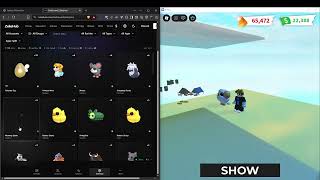

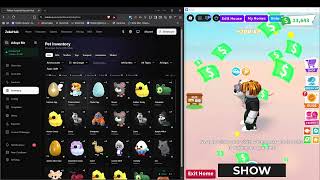
Em Adopt Me, quem quer pets full grown e neons precisa cuidar deles o tempo todo: alimentar, dar banho, levar para dormir e cumprir as tarefas que aparecem, além de juntar quatro full grown iguais para fazer um neon. Fazer isso em uma conta já cansa, imagina em várias. O ZekeHub vende o Adopt Me como Mass Farm: o script roda o Pet Farm e o Baby Farm em muitas contas de Roblox ao mesmo tempo, e você controla tudo pelo dashboard do ZekeHub no navegador.
O farm pode chocar ovos, priorizar pets que ainda não estão full grown ou com mais amizade, e colocar pets no Pet Pen para ganharem XP enquanto você farma. Ele usa age potions nos pets escolhidos, faz neon e mega neon sozinho, recicla pets e abre presentes. O Auto Trade tem filtros por pet e lista de raridades bloqueadas, e o Event Farm cobre o evento de Halloween 2026 e os drops de admin abuse. É feito para quem mantém muitas contas e quer tudo centralizado num painel só.
O que o Mass Farm de Adopt Me faz
- Pet e Baby FarmCumpre as tarefas dos pets e do bebê em todas as contas, priorizando quem ainda não é full grown.
- Ovos e Pet PenPode farmar ovos no lugar de pets e coloca pets no Pet Pen para ganharem XP enquanto o farm roda.
- Auto Neon e MegaFaz neon e mega neon automaticamente quando houver pets suficientes para fundir.
- Auto Age PotionUsa age potions nos pets que você escolher, com prioridade sobre o neon.
- Auto Trade com filtrosEnvia trades para nomes definidos, aceita trades recebidas e respeita filtros por pet e raridades bloqueadas.
- EventosFarma o evento de Halloween 2026 e coleta as estrelas e itens que caem durante o admin abuse.
- Auto Buy e presentesCompra os itens selecionados, abre gift boxes e recicla pets para pegar as recompensas.
- Leve em várias contasOverlay que desliga a renderização 3D, gráficos no mínimo e limite de FPS para rodar mais contas por máquina.
Todas as 49 funções do script de Adopt Me
Os nomes das funções aparecem exatamente como no menu do jogo, em inglês.
Mostrar todas as 49 funçõesExpandirRecolher
Main
- Pet Farm — Enable pet farming system
- Baby Farm — Enable baby farming system
- Farm Eggs — Farm eggs instead of regular pets
- Egg Types to Farm — Empty = any egg
- Auto Buy Eggs
- Egg Type to Buy (default any)
- Max Pets
- Max Pets (1 to 2, default 1)
- Farm Until Full Grown — Prioritize pets that aren't full grown
- Prioritize Friendship — Prioritize pets with higher friendship level
- Selective Pet Farming — Only farm specific pet types
- Pet Types to Farm — Select which pet types to prioritize
Event Farm
- Auto Admin Abuse — Always on - collects star and item drops whenever an admin abuse event is active
- Halloween Event — Halloween 2026 event farming
- Candy Corn Pile — Claim the Candy Corn Pile (requires the 1.25x Candy Multiplier gamepass)
- Feed Stray Cat — Feed the Stray Cat once per day/night cycle for candy (uses any normal food)
- Crypt Coffins — Use Rusty Keys on the ladder coffins and claim the Mummy Spider at the bottom (also opens twig coffins until the pigeon nest is done)
- Pigeon Nest — Put Crypt Twigs in the Haunted Hotel nest to unlock the Jacobin Pigeon
- Ghost Gallery — Play the Ghost Gallery minigame every round
- Hauntlet — Play the Hauntlet 2 door minigame every round, picking the safest door each room
- Spotlight — Play the Spotlight circus minigame every round, collecting candy corn while dodging the spotlights
- Shoebill Gifts — Give the Shoebill its Lost Socks and Headphones from the Crypt
- Where Bear — Teleports to the Where Bear? minigame server and farms up to 2,000 candy a round (about 40-48k/hour). Needs autoexec so the script reloads after the teleport. Pets, crypt, stray cat and the other minigames pause while you're there; turn it off to come back.
Task Exclusion
- Task Exclusion — Skip specific tasks when farming
- Tasks to Exclude — Select tasks you want to skip
Pet Pen
- Pet Pen — Puts pets and eggs into the pet pen so they gain XP while you farm
- Eggs — Populated dynamically - egg IDs in priority order, empty = any egg
- Pets — Populated dynamically - pet IDs in priority order, empty = any pet
- Priority (default egg) — Multi-select - what claims a free pen slot first, reorder to age pets before eggs
- Excluded — Populated dynamically - never penned, accepts :version and :age:N e.g. shadow_dragon, basic_egg_2022_corgi:neon
Auto Age Potion
- Auto Age Potion — Automatically use age potions on selected pets
- Select Pets to Age — Select pet types to use potions on
- Version Filter — Per-pet version filter e.g. dog=neon,cat=regular/neon - empty = all versions
- Refresh Pet List — Refresh the pet list in dropdown
Status
Auto Recycle
- Auto Recycle — Automatically recycle pets for rewards. Runs inline with the farm - it only scans when something actually matches, skips the trip to the Nursery when you are already there, and puts Pet Farm and Baby Farm back the way it found them. Holds off while Auto Potion or a house swap is running instead of fighting them for your character
- Common Versions (default regular) — Multi-select - empty = skip this rarity
- Uncommon Versions (default regular) — Multi-select - empty = skip this rarity
- Rare Versions (default regular) — Multi-select - empty = skip this rarity
- Ultra Rare Versions (default regular) — Multi-select - empty = skip this rarity
- Legendary Versions (default regular) — Multi-select - empty = skip this rarity
- Pets — Populated dynamically - always recycled regardless of the rarity filter, accepts :version and :age:N e.g. basic_egg_2022_corgi:regular, basic_egg_2022_ant:age:1
- Keep — Text input - keep this many of a pet and recycle the rest e.g. basic_egg_2022_ant=4, basic_egg_2022_camel=4
- Excluded — Populated dynamically - never recycled, accepts :version and :age:N e.g. shadow_dragon, basic_egg_2022_corgi:neon, basic_egg_2022_ant:age:6
Auto Neon/Mega
- Auto Neon — Automatically create neon pets when possible. Auto Potion takes priority - neoning waits while potions are being used, and a fuse in progress stops the moment Auto Potion needs the pets
- Make Mega Neon — Fuse neons into mega neon
- Neon All Pets — Neon everything possible
- Pets to Neon — Only these pets will be neoned (when Neon All Pets is off)
- Max Per Type — Per-type limits e.g. dog=2,cat=1
Misc
- Webhook — Send Discord webhook notifications
- Webhook URL (default https://discord.com/api/webhooks/)
- Pet Unlock Webhook — Send webhook when unlocking pets
- Pet Unlock Webhook URL (default https://discord.com/api/webhooks/)
- Rarity Filter (default common) — Multi-select - only send webhook for these rarities
- Auto Use Pet Certificate — Auto redeems Pet Handler Pro Certificate when less than 30 days remaining
- Get Trade License — Automatically get trade license
Auto Trade
- Auto Trading — Enable automatic trading system
- Auto Accept Incoming — Automatically accept incoming trade requests
- Auto Leave After Trades — Leave game when all items have been traded
- Send To Usernames
- Target Usernames — Comma separated e.g. player1, player2
- Trade Mode
- Mode (default all)
- Trade Categories
- Categories (default pets) — Multi-select
- Blacklist Rarities — Rarities that are never offered in a manual or auto trade. Anything already selected of that rarity is pruned out of your selection as soon as you blacklist it
- Rarities (default common) — Multi-select
- Global Pet Filter — Fallback filter for pets not listed in Per-Pet Filters
- Versions (default regular) — Multi-select - empty = all versions
- Ages (default 1 - Newborn) — Multi-select - empty = all ages. Mega ignores ages
- Per-Pet Filters — Per-pet overrides (overrides global filter)
- Filters — petId=version+version:ages,... | Ex: mochi_meow=regular:6+neon+mega,turtle=mega
- Specific Items — Used when Trade Mode is 'specific'
- Item IDs — Comma separated e.g. dog,cat,sandwich
- Max Counts — Comma separated max per item e.g. 30,12 (empty = unlimited)
Auto Buy
- Auto Buy — Automatically purchase selected items
- Items to Buy — Star rewards work too e.g. star_egg, multiplier_2x or star_rewards|royal_egg - the first one becomes your Star Rewards goal and is bought whenever you have the stars
- Buy Amounts — Empty = infinite. Example: 5,10 means buy 5 of first item, 10 of second
- Buy Now — Manually trigger buy process
Auto Open
- Auto Open — Automatically open gift boxes
- Gifts to Open
- Refresh Gift List — Update available gifts
Auto Pay
- Auto Pay Player — Automatically pay other players via register, mannequin or hotdog stand
- Target Players — Comma-separated usernames e.g. player1, player2, player3
- Methods (default register) — Multi-select - register (cash register), mannequin (buy outfits), hotdog (refreshment stands)
Settings
- Show Overlay — Shows stats overlay and disables 3D rendering
- Reduce Graphics — Sets graphics to minimum quality
- FPS Cap
- FPS (0 to 240, default 0) — 0 = Uncapped
- Trade Invites
- Trade Invites (default Everyone)
- Lure — Default lure to use
- Lure ID (default ice_dimension_2025_ice_soup_bait) — Text input - lure item ID
Account Manager
- Account Manager — Swap/kick accounts when triggers are met
- Tool (default kick)
- FarmSync Action (default completed)
- FarmSync From Folder ID — Text input - fresh cookies folder ID
- FarmSync To Folder ID — Text input - done cookies folder ID
- Change Without Replacement
- FarmSync Config ID — Text input - config for new account
- FarmSync API Key — Text input - FarmSync device key
- FarmerV5 API Key — Text input - FarmerV5 API key
- FarmerV5 Action (default swap)
- FarmerV5 Autoswap Rule (0 to 9999, default 1)
- Trigger After Trade Complete — Requires Auto Leave After Trades
- Min Bucks Trigger (0 bucks to 10000000 bucks, default 0 bucks)
- Min Potions Trigger (0 to 1000, default 0)
Menu
- Copy All Pets — Copy all pet definitions to clipboard
- Copy All Pet Accessories — Copy all pet accessory definitions to clipboard
- Copy All Toys — Copy all toy definitions to clipboard
- Copy All Food — Copy all food definitions to clipboard
- Copy All Transport — Copy all transport definitions to clipboard
- Copy All Gifts — Copy all gift definitions to clipboard
- Copy All Stickers — Copy all sticker definitions to clipboard
- Unload — Unload the script
- Menu Keybind
- Menu keybind (default key End)
Perguntas frequentes sobre o script de Adopt Me
01Como funciona o preço do Mass Farm de Adopt Me?
Você paga por tabs, e 1 tab equivale a 1 conta farmando ao mesmo tempo. O plano começa em £6.99 por 100 tabs durante 30 dias, e quanto mais tabs você compra, mais barato sai cada uma.
02Posso usar minha key do ZekeHub no Adopt Me?
Não. O Mass Farm de Adopt Me é vendido à parte da key do hub. A key do hub (£6.99 por 30 dias ou £18.99 vitalício) cobre os outros scripts, mas não o Mass Farm, e a key do Mass Farm não libera os scripts do hub.
03O farm faz neon sozinho?
Faz. Com o Auto Neon ligado, ele funde os pets full grown em neon e mega neon assim que possível. Se o Auto Potion precisar dos pets, ele tem prioridade e a fusão espera.
04O que preciso para começar a farmar?
Um executor compatível (a página de Executores mostra os que estão funcionando) e um plano de Mass Farm. Configure o farm no dashboard, abra o Adopt Me nas contas, injete o executor e rode o script pelo dashboard. As atualizações saem toda semana e o loader já puxa a versão nova sozinho.
05As opções do farm estão em português?
Não, os nomes ficam em inglês, como Pet Farm, Auto Neon e Auto Trading. Quem joga Adopt Me já conhece boa parte desses termos, então a configuração costuma ser rápida.
More questions? See the full FAQ →