Script Adopt Me
49 fitur dalam 16 kategori, diperbarui setiap minggu.
Tersedia juga dalam:English·Português·Español·Tiếng Việt·Filipino
Preview script Adopt Me
Menu ZekeHub yang asli, dibuat ulang untuk browser. Silakan klik-klik untuk mencobanya — menu di dalam game memakai bahasa Inggris.

Tonton script Adopt Me
Adopt Me Halloween Week 3 Script — Auto Spotlight, Auto Hauntlet, Auto Ghost Gallery & More · 16 Oct 2026
Video script Adopt Me lainnya
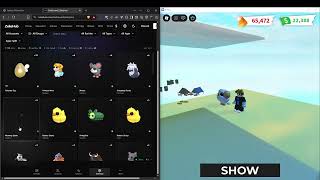

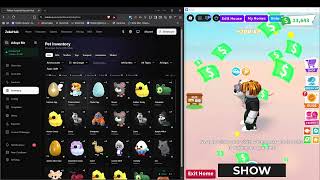
Di Adopt Me, pet harus diurus lewat tugas-tugas kecil seperti makan, mandi dan tidur supaya bisa tumbuh sampai full grown, lalu dikumpulkan untuk dijadikan neon. Prosesnya lambat, apalagi kalau kamu punya banyak akun. Karena itu ZekeHub menjual Adopt Me sebagai Mass Farm: farm berjalan di banyak akun Roblox sekaligus, dan semuanya dikontrol dari dashboard web ZekeHub. Kamu cukup mengatur config sekali, lalu memantau hasil setiap akun dari satu tempat.
Pet Farm dan Baby Farm menyelesaikan tugas secara otomatis, bisa mendahulukan pet yang belum full grown atau yang friendship-nya paling tinggi, dan bisa juga farm egg. Ada Pet Pen untuk XP tambahan, Auto Age Potion, Auto Neon, Auto Recycle, Auto Open untuk gift box, serta Auto Trading dengan filter per pet dan blacklist rarity. Event Halloween 2026 dan admin abuse juga ikut di-farm. Cocok untuk pemain dan trader yang mengelola banyak akun.
Fitur Mass Farm Adopt Me
- Pet & Baby FarmTugas pet dan baby selesai otomatis, dengan prioritas pet yang belum full grown atau friendship tertinggi.
- Pet Pen & Age PotionPet dan egg ditaruh di pet pen supaya dapat XP selama farm, dan age potion dipakai otomatis ke pet pilihan.
- Auto NeonPet neon dibuat otomatis begitu syaratnya terpenuhi, tanpa bentrok dengan Auto Potion.
- Auto TradingKirim atau terima trade otomatis dengan filter global, filter per pet dan blacklist rarity.
- Event FarmIkut farm event Halloween 2026 dan kumpulkan drop bintang serta item setiap ada admin abuse.
- Recycle & Gift BoxRecycle pet untuk hadiah dan buka gift box secara otomatis.
- Account ManagerTukar atau kick akun saat trigger terpenuhi, sambil semuanya terpantau dari dashboard.
- Webhook DiscordKirim notifikasi farm ke Discord, termasuk setiap kali ada pet baru yang terbuka.
Semua 49 fitur Adopt Me
Nama fitur ditulis persis seperti yang muncul di menu dalam game, dalam bahasa Inggris.
Lihat semua 49 fiturTampilkanSembunyikan
Main
- Pet Farm — Enable pet farming system
- Baby Farm — Enable baby farming system
- Farm Eggs — Farm eggs instead of regular pets
- Egg Types to Farm — Empty = any egg
- Auto Buy Eggs
- Egg Type to Buy (default any)
- Max Pets
- Max Pets (1 to 2, default 1)
- Farm Until Full Grown — Prioritize pets that aren't full grown
- Prioritize Friendship — Prioritize pets with higher friendship level
- Selective Pet Farming — Only farm specific pet types
- Pet Types to Farm — Select which pet types to prioritize
Event Farm
- Auto Admin Abuse — Always on - collects star and item drops whenever an admin abuse event is active
- Halloween Event — Halloween 2026 event farming
- Candy Corn Pile — Claim the Candy Corn Pile (requires the 1.25x Candy Multiplier gamepass)
- Feed Stray Cat — Feed the Stray Cat once per day/night cycle for candy (uses any normal food)
- Crypt Coffins — Use Rusty Keys on the ladder coffins and claim the Mummy Spider at the bottom (also opens twig coffins until the pigeon nest is done)
- Pigeon Nest — Put Crypt Twigs in the Haunted Hotel nest to unlock the Jacobin Pigeon
- Ghost Gallery — Play the Ghost Gallery minigame every round
- Hauntlet — Play the Hauntlet 2 door minigame every round, picking the safest door each room
- Spotlight — Play the Spotlight circus minigame every round, collecting candy corn while dodging the spotlights
- Shoebill Gifts — Give the Shoebill its Lost Socks and Headphones from the Crypt
- Where Bear — Teleports to the Where Bear? minigame server and farms up to 2,000 candy a round (about 40-48k/hour). Needs autoexec so the script reloads after the teleport. Pets, crypt, stray cat and the other minigames pause while you're there; turn it off to come back.
Task Exclusion
- Task Exclusion — Skip specific tasks when farming
- Tasks to Exclude — Select tasks you want to skip
Pet Pen
- Pet Pen — Puts pets and eggs into the pet pen so they gain XP while you farm
- Eggs — Populated dynamically - egg IDs in priority order, empty = any egg
- Pets — Populated dynamically - pet IDs in priority order, empty = any pet
- Priority (default egg) — Multi-select - what claims a free pen slot first, reorder to age pets before eggs
- Excluded — Populated dynamically - never penned, accepts :version and :age:N e.g. shadow_dragon, basic_egg_2022_corgi:neon
Auto Age Potion
- Auto Age Potion — Automatically use age potions on selected pets
- Select Pets to Age — Select pet types to use potions on
- Version Filter — Per-pet version filter e.g. dog=neon,cat=regular/neon - empty = all versions
- Refresh Pet List — Refresh the pet list in dropdown
Status
Auto Recycle
- Auto Recycle — Automatically recycle pets for rewards. Runs inline with the farm - it only scans when something actually matches, skips the trip to the Nursery when you are already there, and puts Pet Farm and Baby Farm back the way it found them. Holds off while Auto Potion or a house swap is running instead of fighting them for your character
- Common Versions (default regular) — Multi-select - empty = skip this rarity
- Uncommon Versions (default regular) — Multi-select - empty = skip this rarity
- Rare Versions (default regular) — Multi-select - empty = skip this rarity
- Ultra Rare Versions (default regular) — Multi-select - empty = skip this rarity
- Legendary Versions (default regular) — Multi-select - empty = skip this rarity
- Pets — Populated dynamically - always recycled regardless of the rarity filter, accepts :version and :age:N e.g. basic_egg_2022_corgi:regular, basic_egg_2022_ant:age:1
- Keep — Text input - keep this many of a pet and recycle the rest e.g. basic_egg_2022_ant=4, basic_egg_2022_camel=4
- Excluded — Populated dynamically - never recycled, accepts :version and :age:N e.g. shadow_dragon, basic_egg_2022_corgi:neon, basic_egg_2022_ant:age:6
Auto Neon/Mega
- Auto Neon — Automatically create neon pets when possible. Auto Potion takes priority - neoning waits while potions are being used, and a fuse in progress stops the moment Auto Potion needs the pets
- Make Mega Neon — Fuse neons into mega neon
- Neon All Pets — Neon everything possible
- Pets to Neon — Only these pets will be neoned (when Neon All Pets is off)
- Max Per Type — Per-type limits e.g. dog=2,cat=1
Misc
- Webhook — Send Discord webhook notifications
- Webhook URL (default https://discord.com/api/webhooks/)
- Pet Unlock Webhook — Send webhook when unlocking pets
- Pet Unlock Webhook URL (default https://discord.com/api/webhooks/)
- Rarity Filter (default common) — Multi-select - only send webhook for these rarities
- Auto Use Pet Certificate — Auto redeems Pet Handler Pro Certificate when less than 30 days remaining
- Get Trade License — Automatically get trade license
Auto Trade
- Auto Trading — Enable automatic trading system
- Auto Accept Incoming — Automatically accept incoming trade requests
- Auto Leave After Trades — Leave game when all items have been traded
- Send To Usernames
- Target Usernames — Comma separated e.g. player1, player2
- Trade Mode
- Mode (default all)
- Trade Categories
- Categories (default pets) — Multi-select
- Blacklist Rarities — Rarities that are never offered in a manual or auto trade. Anything already selected of that rarity is pruned out of your selection as soon as you blacklist it
- Rarities (default common) — Multi-select
- Global Pet Filter — Fallback filter for pets not listed in Per-Pet Filters
- Versions (default regular) — Multi-select - empty = all versions
- Ages (default 1 - Newborn) — Multi-select - empty = all ages. Mega ignores ages
- Per-Pet Filters — Per-pet overrides (overrides global filter)
- Filters — petId=version+version:ages,... | Ex: mochi_meow=regular:6+neon+mega,turtle=mega
- Specific Items — Used when Trade Mode is 'specific'
- Item IDs — Comma separated e.g. dog,cat,sandwich
- Max Counts — Comma separated max per item e.g. 30,12 (empty = unlimited)
Auto Buy
- Auto Buy — Automatically purchase selected items
- Items to Buy — Star rewards work too e.g. star_egg, multiplier_2x or star_rewards|royal_egg - the first one becomes your Star Rewards goal and is bought whenever you have the stars
- Buy Amounts — Empty = infinite. Example: 5,10 means buy 5 of first item, 10 of second
- Buy Now — Manually trigger buy process
Auto Open
- Auto Open — Automatically open gift boxes
- Gifts to Open
- Refresh Gift List — Update available gifts
Auto Pay
- Auto Pay Player — Automatically pay other players via register, mannequin or hotdog stand
- Target Players — Comma-separated usernames e.g. player1, player2, player3
- Methods (default register) — Multi-select - register (cash register), mannequin (buy outfits), hotdog (refreshment stands)
Settings
- Show Overlay — Shows stats overlay and disables 3D rendering
- Reduce Graphics — Sets graphics to minimum quality
- FPS Cap
- FPS (0 to 240, default 0) — 0 = Uncapped
- Trade Invites
- Trade Invites (default Everyone)
- Lure — Default lure to use
- Lure ID (default ice_dimension_2025_ice_soup_bait) — Text input - lure item ID
Account Manager
- Account Manager — Swap/kick accounts when triggers are met
- Tool (default kick)
- FarmSync Action (default completed)
- FarmSync From Folder ID — Text input - fresh cookies folder ID
- FarmSync To Folder ID — Text input - done cookies folder ID
- Change Without Replacement
- FarmSync Config ID — Text input - config for new account
- FarmSync API Key — Text input - FarmSync device key
- FarmerV5 API Key — Text input - FarmerV5 API key
- FarmerV5 Action (default swap)
- FarmerV5 Autoswap Rule (0 to 9999, default 1)
- Trigger After Trade Complete — Requires Auto Leave After Trades
- Min Bucks Trigger (0 bucks to 10000000 bucks, default 0 bucks)
- Min Potions Trigger (0 to 1000, default 0)
Menu
- Copy All Pets — Copy all pet definitions to clipboard
- Copy All Pet Accessories — Copy all pet accessory definitions to clipboard
- Copy All Toys — Copy all toy definitions to clipboard
- Copy All Food — Copy all food definitions to clipboard
- Copy All Transport — Copy all transport definitions to clipboard
- Copy All Gifts — Copy all gift definitions to clipboard
- Copy All Stickers — Copy all sticker definitions to clipboard
- Unload — Unload the script
- Menu Keybind
- Menu keybind (default key End)
Tanya jawab seputar script Adopt Me
01Berapa biaya Mass Farm Adopt Me?
Harga dihitung dari jumlah tab, dan satu tab berarti satu akun yang berjalan pada saat yang sama. Paling murah £6.99 untuk 100 tab selama 30 hari, dan harga per tab turun kalau kamu membeli lebih banyak. Bayarnya bisa pakai kartu, PayPal, crypto atau Robux.
02Sudah punya key ZekeHub, apakah Adopt Me sudah termasuk?
Belum. Mass Farm Adopt Me dijual terpisah dari key hub. Key hub seharga £6.99 per bulan atau £18.99 Lifetime hanya mencakup script hub, sedangkan key Mass Farm tidak membuka script hub. Jadi keduanya perlu dibeli sendiri-sendiri.
03Bisakah farm fokus ke pet tertentu saja?
Bisa. Selective Pet Farming membatasi farm ke jenis pet tertentu, Max Pets mengatur jumlahnya, dan Farm Until Full Grown mendahulukan pet yang belum dewasa. Task Exclusion juga bisa dipakai untuk melewati tugas yang tidak kamu inginkan.
04Gimana cara menjalankannya, dan apakah ada update?
Setelah membeli paket Mass Farm, atur config di dashboard ZekeHub, buka Adopt Me, inject executor, lalu jalankan script dari dashboard. Script diperbarui setiap minggu dan loader selalu mengambil versi terbaru, jadi tidak ada yang perlu di-download ulang.
05Apakah opsi di game bisa tampil dalam bahasa Indonesia?
Tidak, nama opsi di dalam game seperti Pet Farm dan Auto Neon memakai bahasa Inggris. Istilahnya sama dengan yang dipakai komunitas Adopt Me, jadi biasanya langsung dimengerti.
More questions? See the full FAQ →