Script Welcome to Bloxburg
67 fitur dalam 22 kategori, diperbarui setiap minggu.
Tersedia juga dalam:English·Português·Español·Tiếng Việt·Filipino
Preview script Welcome to Bloxburg
Menu ZekeHub yang asli, dibuat ulang untuk browser. Silakan klik-klik untuk mencobanya — menu di dalam game memakai bahasa Inggris.

Tonton script Welcome to Bloxburg
Bloxburg Script — AUTO STUDENT FARM (Senior = +20% Pay), Instant Teleport & Fast Job Farm · 21 Oct 2026

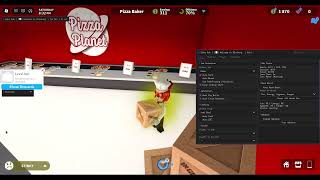

Welcome to Bloxburg adalah game simulasi kehidupan: kamu bekerja untuk dapat uang, membangun dan menghias rumah, dan menjaga mood karakter tetap baik. Bagian yang paling lama justru mengumpulkan uang lewat shift kerja. Script Bloxburg dari ZekeHub punya Auto Farm untuk job pilihanmu, lengkap dengan Fast Mode, Anti Faint, Never Ending Shift dan Auto Break yang mengambil istirahat di waktu yang sedikit acak.
Kalau mood turun, Auto Mood pulang dulu untuk memulihkannya lalu kembali bekerja. Ada juga Student Farm, Auto Skill, Auto Cook dengan Auto QTE, dan Auto Pay Bills. Untuk urusan rumah, House Builder bisa menyalin rumah pemain lain, menyimpan rumahmu sendiri dan membangunnya ulang, didukung database rumah di cloud. Daily Ghosts dan Ghost Patrol juga sudah otomatis. Cocok untuk pemain yang ingin uang dan rumah impian tanpa grinding berjam-jam.
Fitur script Welcome to Bloxburg
- Auto Farm JobJob pilihan di-farm otomatis, dengan Fast Mode dan Never Ending Shift.
- Auto MoodPulang untuk memulihkan mood yang turun di bawah batas, lalu kembali bekerja.
- Auto BreakIstirahat di antara shift pada waktu yang sedikit acak agar waktu bermain terlihat wajar.
- House BuilderSalin rumah pemain lain, simpan rumahmu sendiri, lalu lihat preview sebelum membangunnya.
- Database RumahUpload rumah ke database cloud dan ambil rumah lain lewat House ID.
- Skill & MemasakAuto Skill memakai item di plot kamu, sementara Auto Cook dan Auto QTE mengurus masakan.
- Daily GhostsGhost harian dan Ghost Patrol diselesaikan otomatis untuk uang dan milestone Blockbux.
- Mode Grafis RinganLow Graphics dan Disable Rendering untuk FPS maksimal selama farming.
Semua 67 fitur Welcome to Bloxburg
Nama fitur ditulis persis seperti yang muncul di menu dalam game, dalam bahasa Inggris.
Lihat semua 67 fiturTampilkanSembunyikan
Job Farm
- Select Job
- Select Job (default Baker)
- Auto Farm — Automatically farm selected job
- Fast Mode — Instantly gets you (and your job vehicle) to each stop instead of walking or driving
- Job Pace (default Legit) — How long to wait at each stop: Legit takes as long as walking/driving would, Fast takes half, Instant goes straight away
- Road Pathfinding (Vehicles) — Only shows when Fast Mode is off - drive job vehicles along the roads instead of taking the fastest route
- Anti Faint — Stops the game sending you home when a mood hits 0
- Never Ending Shift — Stops the game ending your shift when you leave the work area
- Auto Break — Takes breaks between shifts at slightly random times so your playtime looks natural
- Work For (min) (10 to 180, default 45)
- Break For (min) (1 to 60, default 10)
Student Farm
- Student Farm — Automatically attends and completes school classes
- Classes (default Science) — Multi-select - which classes to attend
Auto Skill
- Auto Skill — Levels the chosen skill using items on your plot
- Skill (default Art)
Auto Mood
- Auto Mood — Goes home to boost any mood that drops below the threshold, then goes back to work
- Boost Below % (5 to 100, default 30)
- Moods (default Fun) — Multi-select - which moods to boost
- Boost Moods Now — Manually boost all moods immediately
Cooking
- Auto Cook — Automatically cook selected food
- Food — Populated dynamically
- Auto QTE — Automatically complete cooking QTE events
Automation
- Auto Pay Bills — Automatically pays house bills when due
- Auto Close Paycheck — Hides paycheck notification while auto farming
Webhook
- Enable Webhook — Send earnings to Discord webhook
- Webhook URL — Text input - Discord webhook URL
- Delay (sec) (10 to 300, default 60)
- Test Webhook — Test your Discord webhook
House Builder
- Player to Copy — Choose a player whose house to copy
- Player to Copy — Populated dynamically
- Save As (optional)
- Save As (optional) — Text input - leave blank for auto-name
- Copy Player House — Copy the selected player's house
- Save My House — Save your own house to file
- Select House — Choose a saved house to load
- Select House — Populated dynamically
- Show Preview — Show a preview of the selected house
- Destroy Preview — Remove the house preview
- Hide Roof — Hides the roof on the house preview
- Hide Walls (look inside) — Hides the walls on the house preview so you can see inside it
- Load House — Load the selected house (double-click)
- Delete Selected — Delete the selected house file (double-click)
House Database
- Upload Selected House — Upload the selected house to the cloud database
- House ID
- House ID — Text input - cloud house ID (e.g. bx7k2m)
- Fetch by ID — Fetch a house from the cloud by ID
- Download to Local Houses — Saves the fetched cloud house to your local house list
Build Controls
- Pause Build — Pause the current build
- Abort Build — Abort current build (double-click)
Build Settings
- Build Target — Which plot to build on (you need build permission)
- Build Target (default My Plot)
- Refresh Plots — Refresh the Build Target dropdown
- Use Blockbux Items — Allow placing items that cost Blockbux
- Place Vehicles — Allow placing vehicle items
- Use Inventory Items — Places items you already own from your inventory instead of buying new ones. Only places as many as you have
- Unlock All Gamepasses — Unlocks Advanced Placing no-collision. Floors, large plot, resize and basements stay locked
- Auto-Build Debug Log — Writes one formatted JSON file per build to ZekeHub/Bloxburg/BuildLogs, named after the house and the build time
Daily Ghosts
- Auto Daily Ghosts — Talks to the ghost, fetches its lost item and hands it back. $10,000 per ghost plus Blockbux milestones
- Include Missed Days — Also does ghosts from earlier days. They only pay 25%, but still count toward the milestones
Ghost Patrol
- Auto Ghost Patrol — Rents a Ghost Patrol Cruiser, drives to each ghost, captures 3 and drops them off. Loops forever
Movement
- Auto Sprint — Always run instead of walk
- Low Graphics — Strips materials, textures, shadows and effects and uncaps your FPS
- Disable Rendering — Stops drawing the world entirely for maximum FPS while farming
Teleport
- Select Player — Choose a player to teleport to their plot
- Select Player — Populated dynamically
- Teleport to Plot — Teleport to selected player's plot
- Select Location — Choose a fast travel location to teleport to
- Select Location — Populated dynamically
- Teleport to Location — Teleport to the selected location
Vehicle
- Vehicle Mod — Enable vehicle modifications
- Forward Speed (0.1 to 10, default 1)
- Reverse Speed (0.1 to 10, default 1)
- Turn Speed (0.1 to 10, default 1)
- Suspension Height (0.1 to 5, default 1)
- Max Lean (0.1 to 5, default 1)
- Pitch Change (0.1 to 5, default 1)
Weather
- Time of Day
- Time of Day (default Noon)
- Change Time — Enable time override
Player Stats
- Select Player — Select a player to view stats
- Select Player — Populated dynamically
- View Stats — View selected player's stats (money, moods, skills)
Messages
- Title
- Title (default Alert) — Text input - title of the alert or message box
- Message
- Message (default Message) — Text input - text of the alert or message box
- Send Alert — Send alert box
- Send Message — Send message box
Paycheck
- Job ID
- Job ID (default BensIceCreamSeller) — Text input - job ID shown on the paycheck
- Base Pay
- Base Pay (default 100) — Text input - numeric
- Bonus Pay
- Bonus Pay (default 50) — Text input - numeric
- Show Paycheck — Display custom paycheck
Menu
- Unload — Unload the script
- Menu Keybind
- Menu bind (default key End)
Interface
- Watermark — Shows the stats watermark on screen
- Keybind list — Shows the active keybinds list on screen
Tanya jawab seputar script Welcome to Bloxburg
01Script Bloxburg bayar berapa?
Pakai key ZekeHub seharga £6.99 per 30 hari, atau £18.99 sekali bayar kalau mau Lifetime. Key itu tidak hanya untuk Bloxburg, tapi juga untuk semua script lain di hub.
02Bisakah saya menyalin rumah pemain lain?
Bisa. Pilih pemain di Player to Copy, salin rumahnya, lalu muat lewat Load House di plot yang kamu punya izin build-nya. Kamu bisa memakai item yang sudah ada di inventory dan memilih apakah item Blockbux ikut dipasang.
03Gimana cara mulai pakai script ini?
Buka Welcome to Bloxburg dan masuk server, inject executor yang didukung, lalu execute loadstring ZekeHub. Menu akan muncul di dalam game. Cek halaman Executors dulu untuk tahu executor mana yang sedang berfungsi.
04Apakah script Bloxburg diupdate?
Diupdate setiap minggu. Karena loader selalu mengambil versi terbaru, kamu tidak perlu mengganti file atau download ulang.
05Menu script-nya pakai bahasa apa?
Bahasa Inggris. Nama job, opsi House Builder dan fitur lainnya tampil persis seperti di menu dalam game, jadi tinggal dicocokkan dengan daftar fitur di halaman ini.
More questions? See the full FAQ →