Script Rivals
94 fitur dalam 26 kategori, diperbarui setiap minggu.
Tersedia juga dalam:English·Português·Español·Tiếng Việt·Filipino
Preview script Rivals
Menu ZekeHub yang asli, dibuat ulang untuk browser. Silakan klik-klik untuk mencobanya — menu di dalam game memakai bahasa Inggris.

Tonton script Rivals
Rivals Script — Silent Aim, RageBot & ESP (New Update) · 5 Sept 2026


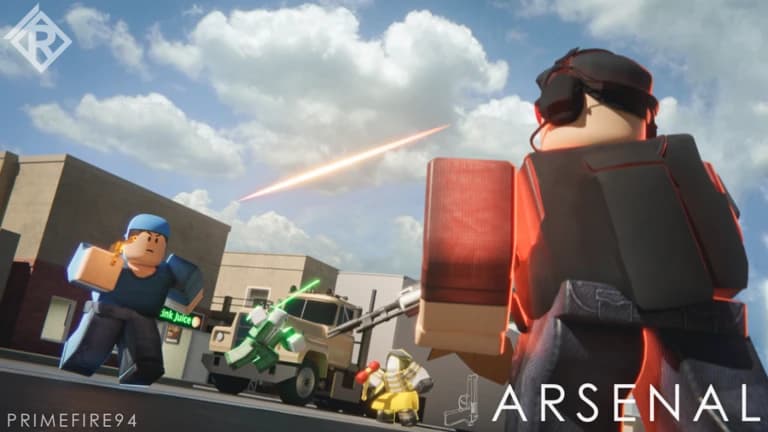
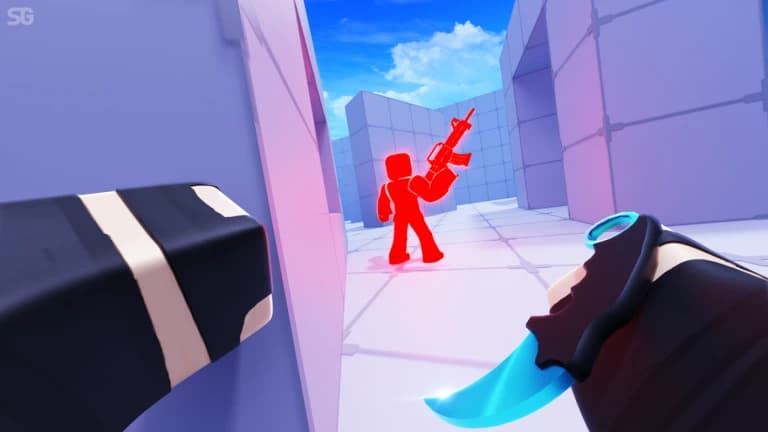
Rivals adalah game FPS duel di Roblox: kamu adu tembak dengan loadout pilihanmu, dari 1v1 sampai pertarungan tim, dan satu tembakan meleset sering kali menentukan siapa yang menang ronde. Script Rivals dari ZekeHub fokus ke hal yang paling dicari pemain: silent aim, aimbot dengan prediksi, RageBot yang menembak sendiri selama tombolnya ditahan, dan ESP lengkap dengan box, health bar, chams sampai panah untuk musuh di luar layar.
Di luar urusan aim, ada gun mods seperti No Recoil, No Spread, Fire Rate Boost dan Instant Scope, mod melee untuk dash dan double jump tanpa batas, serta movement seperti Force Sprint dan Velocity Fly. Auto Queue langsung memasukkan kamu ke match berikutnya, dan Spectator Warning memberi tahu kalau ada yang sedang menonton. Script ini cocok untuk pemain yang ingin aim lebih konsisten dan menang lebih sering di setiap duel.
Fitur script Rivals
- Silent AimPeluru diarahkan ke target tanpa crosshair kamu ikut bergerak, ditambah Projectile TP untuk senjata proyektil.
- Aimbot & Aim AssistBantu bidik dengan prediksi, pilihan bagian tubuh, batas FOV, serta team check dan visible check.
- RageBotMenembak target yang sedang dikunci secara otomatis selama tombol aktivasinya kamu tahan.
- Gun ModsNo Recoil, No Spread, Fire Rate Boost, Auto Reload, Force Full-Auto dan Instant Scope dalam satu tab.
- Melee & MovementNo Melee Cooldown, Infinite Double Jumps, Force Sprint, Velocity Fly dan No Knockback.
- ESP PemainBox 2D dan 3D, health bar, nama, senjata, jarak, tracers, chams dan Off-Screen Arrows.
- Auto QueueLangsung antre ke match berikutnya tanpa perlu membuka menu lagi.
- Visual & KosmetikUnlock Cosmetics, emote, pengaturan lighting dan skybox, plus No Smoke dan No Flashbang.
Semua 94 fitur Rivals
Nama fitur ditulis persis seperti yang muncul di menu dalam game, dalam bahasa Inggris.
Lihat semua 94 fiturTampilkanSembunyikan
Silent Aim
- Silent Aim
- Hit Chance (0% to 100%, default 100%)
- Projectile TP
- Projectile TP Keybind (default key None)
Aim Assist
- Aim Assist
- Strength (1% to 100%, default 20%)
- Aimbot
- Keybind (default key MB2)
- Smoothing (2 to 15, default 5)
RageBot
- RageBot — Automatically shoots your current target while the activate key is held
- Activate (default key V)
- RageBot Toggle (default key X)
- Auto Switch Weapon
- Server Lock — Sticks you to their head on the server, even if they lag or desync
- Origin (default Real) — Spoofed sends fake origin numbers instead of your real spot, needs Server Lock on
- Reload Hide — Hides you far away while you reload so nobody can hit you
- Void Timing (0 to 1.5, default 0.1) — For void spammers, times how long they stay out and shoots this early before they come back
- Idle Position (default Void)
- Idle Range (default Extreme) — Extreme is far out of the map, Ultra is even further, Custom uses your own numbers, Hide sits under the map instead
- Hide Offset (-20 to 0, default -5) — How far below the map to sit
- Min Y (-100000 to -1000, default -50000)
- Max Y (-100000 to -1000, default -10000)
- XZ Range (1000 to 100000, default 10000)
Aim Settings
- Targeting Mode
- Mode (default Closest)
- Manipulation — Shoots from a spot next to you if the target is behind a wall. Also tries shooting through the floor
- Manipulation Keybind (default key None)
- Manipulation Amount (10% to 100%, default 95%) — How far from you it can shoot from, as a % of the max the server allows
- Silent Aim Point Blank — Makes Silent Aim use point blank too. RageBot always does, so the offset and settle sliders apply either way
- Point Blank Keybind (default key None)
- Head Offset (0 to 5, default 0.5)
- Under Offset (-5 to 0, default -3)
- Settle Time (0s to 0.25s, default 0.067s)
- Void Chase — Follows void spammers out to their fake position instead of ignoring them
- Exposure Snipe — Void spammers have to come back to real ground to shoot, this targets them the moment they do
- Team Check
- Visible Check
- Dead Check
- Anti Katana Deflect
- Prediction
- Target Body Parts
- Parts (default Head)
- Use FOV
- FOV Size (1 to 1000, default 500)
- Draw FOV Circle
- Show Target Line
Gun Mods
- No Bullet Waste
- No Recoil
- Reduction (0% to 100%, default 100%)
- No Spread
- Fire Rate Boost
- Boost Amount (0% to 100%, default 50%)
- Auto Reload
- Force Full-Auto
- Instant Scope
- Aim Speed Mod — Changes how fast you aim down sights
- Aim Speed (50% to 500%, default 300%)
Melee Mods
- No Melee Cooldown
- Dash Cooldown — Reduces the dash cooldown on every item that has one
- Cooldown Multiplier (0 to 1, default 0)
- Instant Grenade Explode
- Infinite Double Jumps — Removes the double jump limit
Bullet Visuals
- Bullet Tracers
- Lifetime (0.5s to 5s, default 1.5s)
- Width (0.01 to 0.3, default 0.05)
- Bullet Hit Markers
- Hit Notification
- Grenade Trajectory
- Max Time (2s to 10s, default 5s)
Movement
- Force Sprint
- WalkSpeed Modifier
- Multiplier (1 to 3, default 1.5)
- Custom Sliding
- Slide Speed (10 to 100, default 50)
- Velocity Fly
- Fly Speed (10 studs/s to 200 studs/s, default 50 studs/s)
- No Knockback
Effects
- No Smoke
- Anti Freeze
- No Flashbang
- Device Spoof
- Device (default MouseKeyboard)
Hit Sound
- Custom Hit Sound
- Sound (default Bonk)
- Custom Sound ID — Text input - numeric sound ID, overrides the selected sound
Anti-Aim
- Anti-Aim
- Pitch (-180° to 180°, default 0°)
- Yaw (-360° to 360°, default 0°)
- Fake Position
- Fake Position Keybind (default key G)
Safety
- Spectator Warning
- Moderator Detection
Custom Nametag
- Custom Nametag
- Username (default Player) — Text input
- Win Streak (0 to 1000, default 0)
- Level (1 to 1000, default 1)
- Controls Display (default MouseKeyboard)
Auto Weapon Picker
- Unrestricted Classes
- Auto Pick Weapons
- Allow Any Slot
- Primary
- Secondary
- Melee
- Utility
Auto Queue
- Auto Queue
- Game Mode
Auto Ban
- Auto Ban
- Ban Maps
- Maps to Ban
- Ban Weapons
- Weapons to Ban
Player ESP
- Enable ESP
- Team Check
- Box
- Box Outline
- Box Fill
- Fill Transparency (0 to 1, default 0.5)
- 3D Box
- Health Bar
- Health Bar Outline
- Health Text
- Name
- Weapon
- Distance
ESP Extras
- Tracers
- Origin (default Bottom)
- Tracer Outline
- Chams
- Fill Transparency (0 to 1, default 0.5)
- Outline Transparency (0 to 1, default 0)
- Visible Only
- Off-Screen Arrows
- Size (5 to 50, default 15)
- Distance (50 to 500, default 150)
- Arrow Outline
Cosmetics
- Unlock Cosmetics
- Unlock Types (default Skin) — Multi-select (default all)
- Cosmetics Picker — Opens a window to browse every weapon and equip its skins, wraps, charms and finishers
Emote Player
- Play Emote
- Animation ID — Text input - numeric animation ID
- Speed (0.1 to 5, default 1)
Lighting
- Ambient — Overrides this lighting colour
- OutdoorAmbient — Overrides this lighting colour
- ColorShift_Bottom — Overrides this lighting colour
- ColorShift_Top — Overrides this lighting colour
- FogColor — Overrides this lighting colour
- FogEnd
- FogEnd (0 studs to 1000 studs) — Starts at the map's current value
- FogStart
- FogStart (0 studs to 1000 studs) — Starts at the map's current value
- EnvironmentSpecularScale
- EnvironmentSpecularScale (0 to 1) — Starts at the map's current value
- EnvironmentDiffuseScale
- EnvironmentDiffuseScale (0 to 1) — Starts at the map's current value
- ExposureCompensation
- ExposureCompensation (-5 to 5) — Starts at the map's current value
- ShadowSoftness
- ShadowSoftness (0 to 2) — Starts at the map's current value
- Brightness
- Brightness (0 to 10) — Starts at the map's current value
- ClockTime
- ClockTime (0h to 24h) — Starts at the map's current value
- GlobalShadows — Starts at the map's current setting
- Technology (default ShadowMap) — Defaults to the map's current lighting technology
- Reset Lighting — Restores the original lighting and turns every override off
Post FX
- Bloom
- Intensity (0 to 3, default 0.5)
- Size (0 to 56, default 24)
- Threshold (0 to 2, default 0.8)
- Blur
- Size (0 to 56, default 10)
- Color Correction
- Brightness (-1 to 1, default 0)
- Contrast (-2 to 2, default 0)
- Saturation (-1 to 1, default 0)
- Sun Rays
- Intensity (0 to 1, default 0.25)
- Spread (0 to 1, default 1)
- Reset All Effects — Reset all post-effects to defaults
Atmosphere
- Custom Atmosphere
- Density (0 to 1, default 0.3)
- Offset (0 to 1, default 0)
- Glare (0 to 1, default 0)
- Haze (0 to 10, default 0)
Skybox
- Custom Skybox
- Skybox Asset ID — Roblox asset ID for skybox
Settings
- Unload — Unload the script
- Menu Keybind
- Menu keybind (default key End)
Interface
- Watermark — Shows the stats watermark on screen
- Keybinds — Shows the active keybinds list on screen
Tanya jawab seputar script Rivals
01Berapa harga script Rivals?
Rivals termasuk dalam key ZekeHub: £6.99 untuk 30 hari atau £18.99 sekali bayar untuk akses Lifetime. Pembayaran bisa lewat kartu, PayPal, crypto atau Robux, dan key yang sama berlaku untuk semua script di hub.
02Bagaimana script ini menghadapi pemain yang spam void?
Ada dua opsi. Void Chase mengikuti pemain yang spam void sampai ke posisi palsunya, sedangkan Exposure Snipe menunggu mereka kembali ke tanah untuk menembak dan langsung mengincar mereka di momen itu.
03Apa saja yang dibutuhkan untuk menjalankannya?
Kamu butuh executor Roblox yang didukung dan key ZekeHub. Masuk ke server Rivals, inject executor, lalu execute loadstring ZekeHub. Executor yang sedang berfungsi selalu tercantum di halaman Executors.
04Apakah script Rivals rutin diupdate?
Ya, ada update setiap minggu. Loader otomatis mengambil versi terbaru, jadi kamu cukup execute loadstring yang sama seperti biasa.
05Apakah menunya berbahasa Indonesia?
Menu di dalam game memakai bahasa Inggris. Istilah seperti Silent Aim, RageBot dan Anti-Aim sudah umum di game FPS, jadi pengaturannya tetap mudah diikuti.
More questions? See the full FAQ →