Script Rivals
94 funções em 26 categorias, com atualização toda semana.
Também disponível em:English·Español·Tiếng Việt·Bahasa Indonesia·Filipino
Prévia do script de Rivals
O menu real do ZekeHub, recriado para o navegador. Clique à vontade para testar — dentro do jogo, o menu fica em inglês.

Veja o script de Rivals funcionando
Rivals Script — Silent Aim, RageBot & ESP (New Update) · 5 Sept 2026


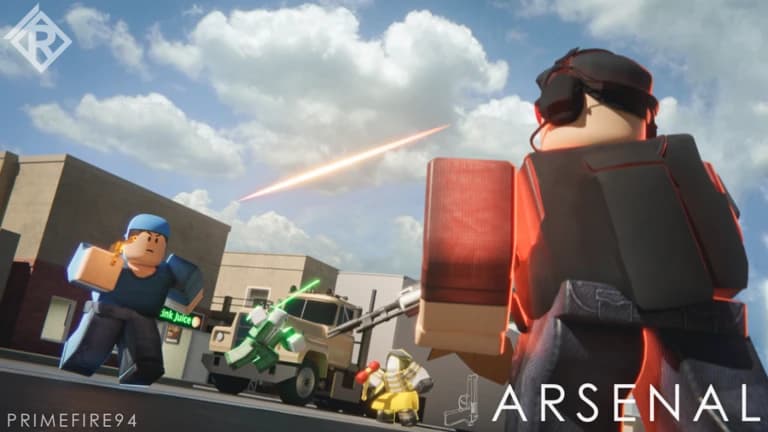
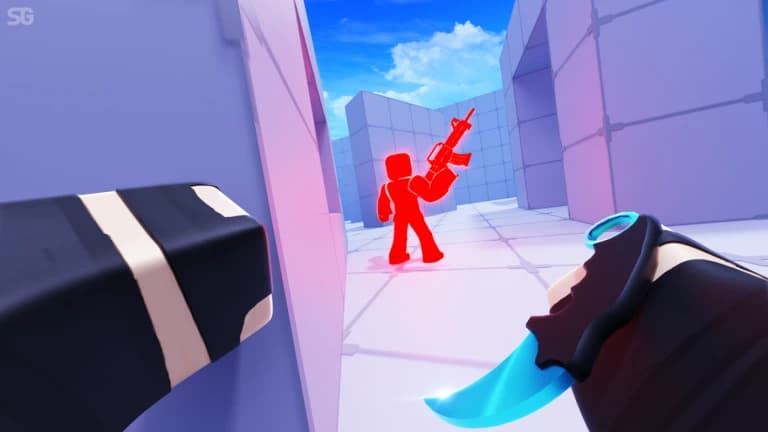
Rivals é o FPS de duelos rápidos do Roblox: rounds curtos, mapas pequenos e pouca margem para errar, porque quem acerta primeiro quase sempre leva o round. O script do ZekeHub foi feito para esse ritmo. Ele traz silent aim, aim assist e aimbot com prediction, FOV, visible check, team check e escolha das partes do corpo, além de um RageBot que atira sozinho no alvo atual enquanto você segura a tecla. Tem até Anti Katana Deflect e funções específicas para lidar com quem fica spammando o void.
Fora a mira, o menu mexe nas armas e no movimento: no recoil, no spread, fire rate maior, full-auto forçado, scope instantâneo, sem cooldown no melee, dash com cooldown reduzido e double jump infinito. O ESP mostra box, vida, nome, arma, distância, tracers, chams e setas para quem está fora da tela. Para quem joga várias partidas seguidas, Auto Queue e Auto Pick Weapons cuidam da fila e do loadout. É um script pensado para quem joga Rivals a sério e quer ganhar mais duelos.
O que o script de Rivals faz
- Silent Aim e AimbotSilent aim, aim assist e aimbot com prediction, FOV, visible check e partes do corpo que você escolhe.
- RageBotAtira automaticamente no alvo atual enquanto a tecla de ativação estiver pressionada.
- Contra void spammersVoid Chase segue a posição falsa de quem spamma o void, e Exposure Snipe acerta no instante em que ele volta ao chão.
- Gun ModsNo Recoil, No Spread, Fire Rate Boost, Force Full-Auto, Instant Scope e Auto Reload em qualquer arma.
- Melee e movimentoMelee sem cooldown, dash mais rápido, double jump infinito, Velocity Fly e No Knockback.
- ESP completoBox 2D e 3D, barra de vida, nome, arma, distância, tracers, chams e setas para inimigos fora da tela.
- Auto Queue e loadoutEntra na fila sozinho e escolhe as armas automaticamente, inclusive fora da sua classe.
- Visual personalizadoAjuste iluminação, efeitos de pós-processamento, skybox e som de hit, e desbloqueie cosméticos e emotes.
Todas as 94 funções do script de Rivals
Os nomes das funções aparecem exatamente como no menu do jogo, em inglês.
Mostrar todas as 94 funçõesExpandirRecolher
Silent Aim
- Silent Aim
- Hit Chance (0% to 100%, default 100%)
- Projectile TP
- Projectile TP Keybind (default key None)
Aim Assist
- Aim Assist
- Strength (1% to 100%, default 20%)
- Aimbot
- Keybind (default key MB2)
- Smoothing (2 to 15, default 5)
RageBot
- RageBot — Automatically shoots your current target while the activate key is held
- Activate (default key V)
- RageBot Toggle (default key X)
- Auto Switch Weapon
- Server Lock — Sticks you to their head on the server, even if they lag or desync
- Origin (default Real) — Spoofed sends fake origin numbers instead of your real spot, needs Server Lock on
- Reload Hide — Hides you far away while you reload so nobody can hit you
- Void Timing (0 to 1.5, default 0.1) — For void spammers, times how long they stay out and shoots this early before they come back
- Idle Position (default Void)
- Idle Range (default Extreme) — Extreme is far out of the map, Ultra is even further, Custom uses your own numbers, Hide sits under the map instead
- Hide Offset (-20 to 0, default -5) — How far below the map to sit
- Min Y (-100000 to -1000, default -50000)
- Max Y (-100000 to -1000, default -10000)
- XZ Range (1000 to 100000, default 10000)
Aim Settings
- Targeting Mode
- Mode (default Closest)
- Manipulation — Shoots from a spot next to you if the target is behind a wall. Also tries shooting through the floor
- Manipulation Keybind (default key None)
- Manipulation Amount (10% to 100%, default 95%) — How far from you it can shoot from, as a % of the max the server allows
- Silent Aim Point Blank — Makes Silent Aim use point blank too. RageBot always does, so the offset and settle sliders apply either way
- Point Blank Keybind (default key None)
- Head Offset (0 to 5, default 0.5)
- Under Offset (-5 to 0, default -3)
- Settle Time (0s to 0.25s, default 0.067s)
- Void Chase — Follows void spammers out to their fake position instead of ignoring them
- Exposure Snipe — Void spammers have to come back to real ground to shoot, this targets them the moment they do
- Team Check
- Visible Check
- Dead Check
- Anti Katana Deflect
- Prediction
- Target Body Parts
- Parts (default Head)
- Use FOV
- FOV Size (1 to 1000, default 500)
- Draw FOV Circle
- Show Target Line
Gun Mods
- No Bullet Waste
- No Recoil
- Reduction (0% to 100%, default 100%)
- No Spread
- Fire Rate Boost
- Boost Amount (0% to 100%, default 50%)
- Auto Reload
- Force Full-Auto
- Instant Scope
- Aim Speed Mod — Changes how fast you aim down sights
- Aim Speed (50% to 500%, default 300%)
Melee Mods
- No Melee Cooldown
- Dash Cooldown — Reduces the dash cooldown on every item that has one
- Cooldown Multiplier (0 to 1, default 0)
- Instant Grenade Explode
- Infinite Double Jumps — Removes the double jump limit
Bullet Visuals
- Bullet Tracers
- Lifetime (0.5s to 5s, default 1.5s)
- Width (0.01 to 0.3, default 0.05)
- Bullet Hit Markers
- Hit Notification
- Grenade Trajectory
- Max Time (2s to 10s, default 5s)
Movement
- Force Sprint
- WalkSpeed Modifier
- Multiplier (1 to 3, default 1.5)
- Custom Sliding
- Slide Speed (10 to 100, default 50)
- Velocity Fly
- Fly Speed (10 studs/s to 200 studs/s, default 50 studs/s)
- No Knockback
Effects
- No Smoke
- Anti Freeze
- No Flashbang
- Device Spoof
- Device (default MouseKeyboard)
Hit Sound
- Custom Hit Sound
- Sound (default Bonk)
- Custom Sound ID — Text input - numeric sound ID, overrides the selected sound
Anti-Aim
- Anti-Aim
- Pitch (-180° to 180°, default 0°)
- Yaw (-360° to 360°, default 0°)
- Fake Position
- Fake Position Keybind (default key G)
Safety
- Spectator Warning
- Moderator Detection
Custom Nametag
- Custom Nametag
- Username (default Player) — Text input
- Win Streak (0 to 1000, default 0)
- Level (1 to 1000, default 1)
- Controls Display (default MouseKeyboard)
Auto Weapon Picker
- Unrestricted Classes
- Auto Pick Weapons
- Allow Any Slot
- Primary
- Secondary
- Melee
- Utility
Auto Queue
- Auto Queue
- Game Mode
Auto Ban
- Auto Ban
- Ban Maps
- Maps to Ban
- Ban Weapons
- Weapons to Ban
Player ESP
- Enable ESP
- Team Check
- Box
- Box Outline
- Box Fill
- Fill Transparency (0 to 1, default 0.5)
- 3D Box
- Health Bar
- Health Bar Outline
- Health Text
- Name
- Weapon
- Distance
ESP Extras
- Tracers
- Origin (default Bottom)
- Tracer Outline
- Chams
- Fill Transparency (0 to 1, default 0.5)
- Outline Transparency (0 to 1, default 0)
- Visible Only
- Off-Screen Arrows
- Size (5 to 50, default 15)
- Distance (50 to 500, default 150)
- Arrow Outline
Cosmetics
- Unlock Cosmetics
- Unlock Types (default Skin) — Multi-select (default all)
- Cosmetics Picker — Opens a window to browse every weapon and equip its skins, wraps, charms and finishers
Emote Player
- Play Emote
- Animation ID — Text input - numeric animation ID
- Speed (0.1 to 5, default 1)
Lighting
- Ambient — Overrides this lighting colour
- OutdoorAmbient — Overrides this lighting colour
- ColorShift_Bottom — Overrides this lighting colour
- ColorShift_Top — Overrides this lighting colour
- FogColor — Overrides this lighting colour
- FogEnd
- FogEnd (0 studs to 1000 studs) — Starts at the map's current value
- FogStart
- FogStart (0 studs to 1000 studs) — Starts at the map's current value
- EnvironmentSpecularScale
- EnvironmentSpecularScale (0 to 1) — Starts at the map's current value
- EnvironmentDiffuseScale
- EnvironmentDiffuseScale (0 to 1) — Starts at the map's current value
- ExposureCompensation
- ExposureCompensation (-5 to 5) — Starts at the map's current value
- ShadowSoftness
- ShadowSoftness (0 to 2) — Starts at the map's current value
- Brightness
- Brightness (0 to 10) — Starts at the map's current value
- ClockTime
- ClockTime (0h to 24h) — Starts at the map's current value
- GlobalShadows — Starts at the map's current setting
- Technology (default ShadowMap) — Defaults to the map's current lighting technology
- Reset Lighting — Restores the original lighting and turns every override off
Post FX
- Bloom
- Intensity (0 to 3, default 0.5)
- Size (0 to 56, default 24)
- Threshold (0 to 2, default 0.8)
- Blur
- Size (0 to 56, default 10)
- Color Correction
- Brightness (-1 to 1, default 0)
- Contrast (-2 to 2, default 0)
- Saturation (-1 to 1, default 0)
- Sun Rays
- Intensity (0 to 1, default 0.25)
- Spread (0 to 1, default 1)
- Reset All Effects — Reset all post-effects to defaults
Atmosphere
- Custom Atmosphere
- Density (0 to 1, default 0.3)
- Offset (0 to 1, default 0)
- Glare (0 to 1, default 0)
- Haze (0 to 10, default 0)
Skybox
- Custom Skybox
- Skybox Asset ID — Roblox asset ID for skybox
Settings
- Unload — Unload the script
- Menu Keybind
- Menu keybind (default key End)
Interface
- Watermark — Shows the stats watermark on screen
- Keybinds — Shows the active keybinds list on screen
Perguntas frequentes sobre o script de Rivals
01Quanto custa o script de Rivals?
O Rivals vem incluído na key do ZekeHub, que custa £6.99 por 30 dias ou £18.99 no plano vitalício, pago uma vez só. A mesma key libera todos os scripts do hub. Não existe versão gratuita, e dá para pagar com cartão, PayPal, cripto ou Robux.
02Dá para configurar o silent aim e o RageBot do meu jeito?
Dá. Você escolhe o modo de seleção de alvo, as partes do corpo, a prediction, o raio do FOV e se quer ver a linha até o alvo. Também pode ativar o point blank no silent aim e ligar ou desligar os checks de time, visibilidade e alvo morto.
03Qual executor eu preciso para rodar?
O script funciona nos principais executores de Roblox. A página de Executores do site mostra quais estão funcionando agora. Com o executor pronto, é só entrar numa partida de Rivals, injetar e executar o loadstring do ZekeHub.
04O script acompanha as atualizações do Rivals?
Sim. O script recebe atualizações toda semana, e o loader sempre puxa a versão mais nova quando você executa. Não precisa baixar nada de novo.
05O menu dentro do jogo está em português?
Não, o menu é em inglês, com nomes como Silent Aim, RageBot e Fake Position. São os mesmos termos que a comunidade já usa, então dá para se achar rápido mesmo sem dominar o idioma.
More questions? See the full FAQ →