Script de Rivals
94 funciones en 26 categorías, actualizadas cada semana.
También disponible en:English·Português·Tiếng Việt·Bahasa Indonesia·Filipino
Vista previa del script de Rivals
El menú real de ZekeHub, recreado para el navegador. Haz clic y pruébalo; dentro del juego, el menú está en inglés.

Mira el script de Rivals en acción
Rivals Script — Silent Aim, RageBot & ESP (New Update) · 5 Sept 2026


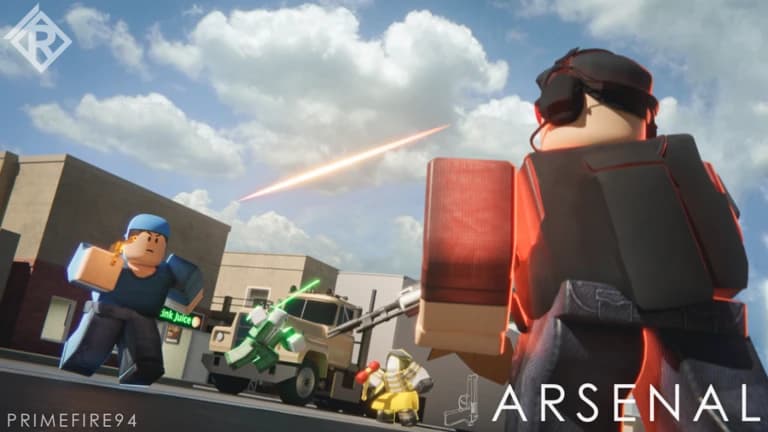
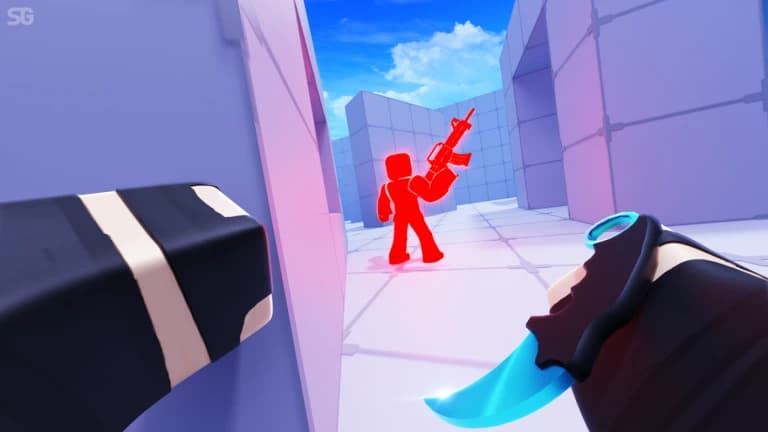
Rivals es el shooter competitivo de Roblox donde todo se decide en duelos rápidos, tanto 1v1 como por equipos, y gana quien apunta mejor y reacciona antes. Entre katanas que desvían balas, granadas, flashbangs, humo y rivales que no paran de moverse, cada ronda exige puntería fina y buena lectura del mapa. Si juegas para subir de rango o simplemente quieres ganar más duelos, la diferencia está en los detalles de cada enfrentamiento.
El script de Rivals de ZekeHub junta todo lo que necesitas para dominar esos duelos: silent aim con predicción, aimbot y aim assist configurables, un RageBot que dispara solo mientras mantienes la tecla y un ESP completo con cajas, barras de vida, chams y flechas para enemigos fuera de pantalla. Suma mods de armas como No Recoil, No Spread y recarga automática, cola automática para encadenar partidas y control total de la iluminación. Está pensado para quien quiere ajustar cada detalle de su configuración.
Qué hace el script de Rivals
- Silent AimManda tus disparos al objetivo sin mover la mira, con predicción, revisión de visibilidad y las partes del cuerpo que elijas.
- Aimbot y Aim AssistElige entre un aimbot directo o una asistencia suave, limitados a un círculo de FOV si lo prefieres.
- RageBotDispara automáticamente a tu objetivo actual mientras mantienes presionada la tecla de activación.
- Ajustes de punteríaManipulation dispara desde un punto a tu lado cuando el rival está tras una pared, y Anti Katana Deflect evita gastar balas contra un bloqueo con katana.
- Mods de armasNo Recoil, No Spread, más cadencia de fuego, recarga automática, modo automático forzado y mira instantánea.
- ESP de jugadoresCajas 2D y 3D, barras de vida, nombres, armas, distancia, tracers, chams y flechas hacia enemigos fuera de pantalla.
- Movimiento y efectosSprint forzado, velocidad ajustable, vuelo, sin knockback y sin humo ni flashbang que te tapen la vista.
- Auto Queue y visualesCola automática para encadenar partidas, además de iluminación, skybox y efectos de post-procesado a tu gusto.
Las 94 funciones del script de Rivals
Los nombres de las funciones aparecen tal cual se ven en el menú del juego, en inglés.
Ver las 94 funcionesExpandirContraer
Silent Aim
- Silent Aim
- Hit Chance (0% to 100%, default 100%)
- Projectile TP
- Projectile TP Keybind (default key None)
Aim Assist
- Aim Assist
- Strength (1% to 100%, default 20%)
- Aimbot
- Keybind (default key MB2)
- Smoothing (2 to 15, default 5)
RageBot
- RageBot — Automatically shoots your current target while the activate key is held
- Activate (default key V)
- RageBot Toggle (default key X)
- Auto Switch Weapon
- Server Lock — Sticks you to their head on the server, even if they lag or desync
- Origin (default Real) — Spoofed sends fake origin numbers instead of your real spot, needs Server Lock on
- Reload Hide — Hides you far away while you reload so nobody can hit you
- Void Timing (0 to 1.5, default 0.1) — For void spammers, times how long they stay out and shoots this early before they come back
- Idle Position (default Void)
- Idle Range (default Extreme) — Extreme is far out of the map, Ultra is even further, Custom uses your own numbers, Hide sits under the map instead
- Hide Offset (-20 to 0, default -5) — How far below the map to sit
- Min Y (-100000 to -1000, default -50000)
- Max Y (-100000 to -1000, default -10000)
- XZ Range (1000 to 100000, default 10000)
Aim Settings
- Targeting Mode
- Mode (default Closest)
- Manipulation — Shoots from a spot next to you if the target is behind a wall. Also tries shooting through the floor
- Manipulation Keybind (default key None)
- Manipulation Amount (10% to 100%, default 95%) — How far from you it can shoot from, as a % of the max the server allows
- Silent Aim Point Blank — Makes Silent Aim use point blank too. RageBot always does, so the offset and settle sliders apply either way
- Point Blank Keybind (default key None)
- Head Offset (0 to 5, default 0.5)
- Under Offset (-5 to 0, default -3)
- Settle Time (0s to 0.25s, default 0.067s)
- Void Chase — Follows void spammers out to their fake position instead of ignoring them
- Exposure Snipe — Void spammers have to come back to real ground to shoot, this targets them the moment they do
- Team Check
- Visible Check
- Dead Check
- Anti Katana Deflect
- Prediction
- Target Body Parts
- Parts (default Head)
- Use FOV
- FOV Size (1 to 1000, default 500)
- Draw FOV Circle
- Show Target Line
Gun Mods
- No Bullet Waste
- No Recoil
- Reduction (0% to 100%, default 100%)
- No Spread
- Fire Rate Boost
- Boost Amount (0% to 100%, default 50%)
- Auto Reload
- Force Full-Auto
- Instant Scope
- Aim Speed Mod — Changes how fast you aim down sights
- Aim Speed (50% to 500%, default 300%)
Melee Mods
- No Melee Cooldown
- Dash Cooldown — Reduces the dash cooldown on every item that has one
- Cooldown Multiplier (0 to 1, default 0)
- Instant Grenade Explode
- Infinite Double Jumps — Removes the double jump limit
Bullet Visuals
- Bullet Tracers
- Lifetime (0.5s to 5s, default 1.5s)
- Width (0.01 to 0.3, default 0.05)
- Bullet Hit Markers
- Hit Notification
- Grenade Trajectory
- Max Time (2s to 10s, default 5s)
Movement
- Force Sprint
- WalkSpeed Modifier
- Multiplier (1 to 3, default 1.5)
- Custom Sliding
- Slide Speed (10 to 100, default 50)
- Velocity Fly
- Fly Speed (10 studs/s to 200 studs/s, default 50 studs/s)
- No Knockback
Effects
- No Smoke
- Anti Freeze
- No Flashbang
- Device Spoof
- Device (default MouseKeyboard)
Hit Sound
- Custom Hit Sound
- Sound (default Bonk)
- Custom Sound ID — Text input - numeric sound ID, overrides the selected sound
Anti-Aim
- Anti-Aim
- Pitch (-180° to 180°, default 0°)
- Yaw (-360° to 360°, default 0°)
- Fake Position
- Fake Position Keybind (default key G)
Safety
- Spectator Warning
- Moderator Detection
Custom Nametag
- Custom Nametag
- Username (default Player) — Text input
- Win Streak (0 to 1000, default 0)
- Level (1 to 1000, default 1)
- Controls Display (default MouseKeyboard)
Auto Weapon Picker
- Unrestricted Classes
- Auto Pick Weapons
- Allow Any Slot
- Primary
- Secondary
- Melee
- Utility
Auto Queue
- Auto Queue
- Game Mode
Auto Ban
- Auto Ban
- Ban Maps
- Maps to Ban
- Ban Weapons
- Weapons to Ban
Player ESP
- Enable ESP
- Team Check
- Box
- Box Outline
- Box Fill
- Fill Transparency (0 to 1, default 0.5)
- 3D Box
- Health Bar
- Health Bar Outline
- Health Text
- Name
- Weapon
- Distance
ESP Extras
- Tracers
- Origin (default Bottom)
- Tracer Outline
- Chams
- Fill Transparency (0 to 1, default 0.5)
- Outline Transparency (0 to 1, default 0)
- Visible Only
- Off-Screen Arrows
- Size (5 to 50, default 15)
- Distance (50 to 500, default 150)
- Arrow Outline
Cosmetics
- Unlock Cosmetics
- Unlock Types (default Skin) — Multi-select (default all)
- Cosmetics Picker — Opens a window to browse every weapon and equip its skins, wraps, charms and finishers
Emote Player
- Play Emote
- Animation ID — Text input - numeric animation ID
- Speed (0.1 to 5, default 1)
Lighting
- Ambient — Overrides this lighting colour
- OutdoorAmbient — Overrides this lighting colour
- ColorShift_Bottom — Overrides this lighting colour
- ColorShift_Top — Overrides this lighting colour
- FogColor — Overrides this lighting colour
- FogEnd
- FogEnd (0 studs to 1000 studs) — Starts at the map's current value
- FogStart
- FogStart (0 studs to 1000 studs) — Starts at the map's current value
- EnvironmentSpecularScale
- EnvironmentSpecularScale (0 to 1) — Starts at the map's current value
- EnvironmentDiffuseScale
- EnvironmentDiffuseScale (0 to 1) — Starts at the map's current value
- ExposureCompensation
- ExposureCompensation (-5 to 5) — Starts at the map's current value
- ShadowSoftness
- ShadowSoftness (0 to 2) — Starts at the map's current value
- Brightness
- Brightness (0 to 10) — Starts at the map's current value
- ClockTime
- ClockTime (0h to 24h) — Starts at the map's current value
- GlobalShadows — Starts at the map's current setting
- Technology (default ShadowMap) — Defaults to the map's current lighting technology
- Reset Lighting — Restores the original lighting and turns every override off
Post FX
- Bloom
- Intensity (0 to 3, default 0.5)
- Size (0 to 56, default 24)
- Threshold (0 to 2, default 0.8)
- Blur
- Size (0 to 56, default 10)
- Color Correction
- Brightness (-1 to 1, default 0)
- Contrast (-2 to 2, default 0)
- Saturation (-1 to 1, default 0)
- Sun Rays
- Intensity (0 to 1, default 0.25)
- Spread (0 to 1, default 1)
- Reset All Effects — Reset all post-effects to defaults
Atmosphere
- Custom Atmosphere
- Density (0 to 1, default 0.3)
- Offset (0 to 1, default 0)
- Glare (0 to 1, default 0)
- Haze (0 to 10, default 0)
Skybox
- Custom Skybox
- Skybox Asset ID — Roblox asset ID for skybox
Settings
- Unload — Unload the script
- Menu Keybind
- Menu keybind (default key End)
Interface
- Watermark — Shows the stats watermark on screen
- Keybinds — Shows the active keybinds list on screen
Preguntas frecuentes sobre el script de Rivals
01¿Cuánto cuesta el script de Rivals?
Viene incluido en la key de ZekeHub: £6.99 por 30 días o £18.99 en un solo pago de por vida. Esa misma key abre todos los scripts del hub. No existe una versión gratuita.
02¿Puedo ajustar el silent aim para que no apunte siempre a la cabeza?
Sí. Eliges las partes del cuerpo a las que apunta, activas o no la predicción, lo limitas a un círculo de FOV y usas las revisiones de equipo, visibilidad y muerte para que solo vaya a objetivos válidos.
03¿Qué executor necesito para Rivals?
Cualquiera de los executors importantes de Roblox sirve. En la página de Executors de ZekeHub ves cuáles funcionan ahora mismo; después solo entras a una partida, inyectas y ejecutas el loadstring.
04¿Cada cuánto se actualiza?
Cada semana. El loader siempre carga la versión más reciente, así que cuando Rivals recibe un parche no tienes que volver a descargar nada.
05¿El menú está en español?
No, el menú dentro del juego está en inglés. Los nombres de las funciones son los mismos que ves en la lista de esta página, así que es fácil ubicarte aunque no domines el idioma.
More questions? See the full FAQ →
Más scripts en español