Script Rivals
94 tính năng trong 26 danh mục, cập nhật hằng tuần.
Ngôn ngữ khác:English·Português·Español·Bahasa Indonesia·Filipino
Xem trước script Rivals
Đây là menu ZekeHub thật, được dựng lại để chạy trên trình duyệt. Bạn cứ bấm thử — menu trong game dùng tiếng Anh.

Xem video script Rivals
Rivals Script — Silent Aim, RageBot & ESP (New Update) · 5 Sept 2026


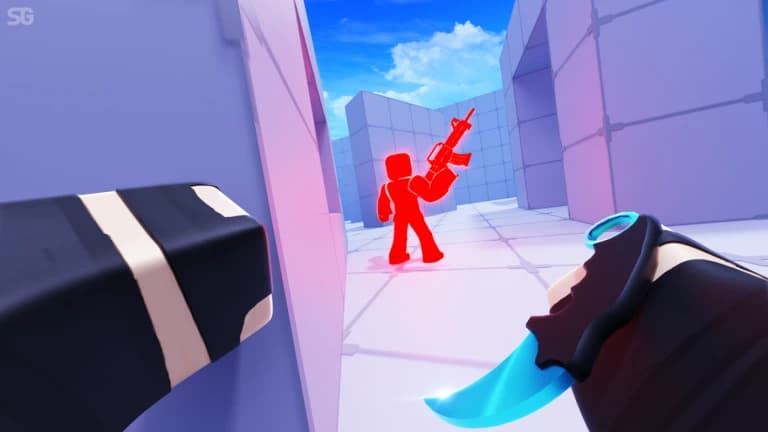
Rivals là game bắn súng đối kháng trên Roblox, nơi mỗi pha giao tranh được quyết định chỉ trong vài giây. Bạn cầm từ súng trường, shotgun đến katana và lựu đạn, còn đối thủ thì liên tục nhảy, trượt, dash và spam void để né đạn. Muốn thắng đều tay, bạn phải giữ tâm ngắm thật chuẩn và biết đối thủ đang ở đâu trước khi họ kịp nổ súng.
Script Rivals của ZekeHub tập trung đúng vào những thứ quyết định trận đấu: Silent Aim, Aimbot và RageBot với prediction, chọn bộ phận cơ thể, giới hạn FOV, Team Check và Visible Check. Gun mod xóa độ giật và độ tản đạn, melee mod bỏ cooldown, còn ESP hiện box, thanh máu, tên và vũ khí của từng người. Ngoài ra còn có Auto Queue, mở khóa cosmetic và chỉnh ánh sáng, skybox. Phù hợp với người chơi muốn thắng nhiều trận hơn mà không cần cài đặt rườm rà.
Script Rivals làm được gì
- Silent AimĐạn tự tìm đến mục tiêu mà tâm ngắm không cần di chuyển, kèm Projectile TP cho vũ khí bắn đạn đạo.
- Aimbot và RageBotAim Assist kéo tâm mượt về phía đối thủ, còn RageBot tự bắn mục tiêu khi bạn giữ phím kích hoạt.
- Tùy chỉnh ngắmPrediction, chọn bộ phận cơ thể, vòng FOV, Dead Check và Anti Katana Deflect để không bắn vào đòn đỡ katana.
- Gun ModsNo Recoil, No Spread, Fire Rate Boost, Auto Reload, Force Full-Auto và Instant Scope cho mọi khẩu súng.
- Melee ModsBỏ cooldown đánh cận chiến, giảm cooldown dash, lựu đạn nổ ngay và nhảy đôi không giới hạn.
- Player ESPBox 2D và 3D, thanh máu, tên, vũ khí, khoảng cách, tracer, chams và mũi tên chỉ người chơi ngoài màn hình.
- Di chuyểnForce Sprint, chỉnh WalkSpeed, Velocity Fly, trượt tùy chỉnh và No Knockback.
- Hình ảnh và cosmeticMở khóa cosmetic, phát emote, đổi skybox, ánh sáng, bỏ khói và flashbang theo ý bạn.
Tất cả 94 tính năng của script Rivals
Tên tính năng được giữ nguyên như trong menu game, bằng tiếng Anh.
Xem tất cả 94 tính năngMở rộngThu gọn
Silent Aim
- Silent Aim
- Hit Chance (0% to 100%, default 100%)
- Projectile TP
- Projectile TP Keybind (default key None)
Aim Assist
- Aim Assist
- Strength (1% to 100%, default 20%)
- Aimbot
- Keybind (default key MB2)
- Smoothing (2 to 15, default 5)
RageBot
- RageBot — Automatically shoots your current target while the activate key is held
- Activate (default key V)
- RageBot Toggle (default key X)
- Auto Switch Weapon
- Server Lock — Sticks you to their head on the server, even if they lag or desync
- Origin (default Real) — Spoofed sends fake origin numbers instead of your real spot, needs Server Lock on
- Reload Hide — Hides you far away while you reload so nobody can hit you
- Void Timing (0 to 1.5, default 0.1) — For void spammers, times how long they stay out and shoots this early before they come back
- Idle Position (default Void)
- Idle Range (default Extreme) — Extreme is far out of the map, Ultra is even further, Custom uses your own numbers, Hide sits under the map instead
- Hide Offset (-20 to 0, default -5) — How far below the map to sit
- Min Y (-100000 to -1000, default -50000)
- Max Y (-100000 to -1000, default -10000)
- XZ Range (1000 to 100000, default 10000)
Aim Settings
- Targeting Mode
- Mode (default Closest)
- Manipulation — Shoots from a spot next to you if the target is behind a wall. Also tries shooting through the floor
- Manipulation Keybind (default key None)
- Manipulation Amount (10% to 100%, default 95%) — How far from you it can shoot from, as a % of the max the server allows
- Silent Aim Point Blank — Makes Silent Aim use point blank too. RageBot always does, so the offset and settle sliders apply either way
- Point Blank Keybind (default key None)
- Head Offset (0 to 5, default 0.5)
- Under Offset (-5 to 0, default -3)
- Settle Time (0s to 0.25s, default 0.067s)
- Void Chase — Follows void spammers out to their fake position instead of ignoring them
- Exposure Snipe — Void spammers have to come back to real ground to shoot, this targets them the moment they do
- Team Check
- Visible Check
- Dead Check
- Anti Katana Deflect
- Prediction
- Target Body Parts
- Parts (default Head)
- Use FOV
- FOV Size (1 to 1000, default 500)
- Draw FOV Circle
- Show Target Line
Gun Mods
- No Bullet Waste
- No Recoil
- Reduction (0% to 100%, default 100%)
- No Spread
- Fire Rate Boost
- Boost Amount (0% to 100%, default 50%)
- Auto Reload
- Force Full-Auto
- Instant Scope
- Aim Speed Mod — Changes how fast you aim down sights
- Aim Speed (50% to 500%, default 300%)
Melee Mods
- No Melee Cooldown
- Dash Cooldown — Reduces the dash cooldown on every item that has one
- Cooldown Multiplier (0 to 1, default 0)
- Instant Grenade Explode
- Infinite Double Jumps — Removes the double jump limit
Bullet Visuals
- Bullet Tracers
- Lifetime (0.5s to 5s, default 1.5s)
- Width (0.01 to 0.3, default 0.05)
- Bullet Hit Markers
- Hit Notification
- Grenade Trajectory
- Max Time (2s to 10s, default 5s)
Movement
- Force Sprint
- WalkSpeed Modifier
- Multiplier (1 to 3, default 1.5)
- Custom Sliding
- Slide Speed (10 to 100, default 50)
- Velocity Fly
- Fly Speed (10 studs/s to 200 studs/s, default 50 studs/s)
- No Knockback
Effects
- No Smoke
- Anti Freeze
- No Flashbang
- Device Spoof
- Device (default MouseKeyboard)
Hit Sound
- Custom Hit Sound
- Sound (default Bonk)
- Custom Sound ID — Text input - numeric sound ID, overrides the selected sound
Anti-Aim
- Anti-Aim
- Pitch (-180° to 180°, default 0°)
- Yaw (-360° to 360°, default 0°)
- Fake Position
- Fake Position Keybind (default key G)
Safety
- Spectator Warning
- Moderator Detection
Custom Nametag
- Custom Nametag
- Username (default Player) — Text input
- Win Streak (0 to 1000, default 0)
- Level (1 to 1000, default 1)
- Controls Display (default MouseKeyboard)
Auto Weapon Picker
- Unrestricted Classes
- Auto Pick Weapons
- Allow Any Slot
- Primary
- Secondary
- Melee
- Utility
Auto Queue
- Auto Queue
- Game Mode
Auto Ban
- Auto Ban
- Ban Maps
- Maps to Ban
- Ban Weapons
- Weapons to Ban
Player ESP
- Enable ESP
- Team Check
- Box
- Box Outline
- Box Fill
- Fill Transparency (0 to 1, default 0.5)
- 3D Box
- Health Bar
- Health Bar Outline
- Health Text
- Name
- Weapon
- Distance
ESP Extras
- Tracers
- Origin (default Bottom)
- Tracer Outline
- Chams
- Fill Transparency (0 to 1, default 0.5)
- Outline Transparency (0 to 1, default 0)
- Visible Only
- Off-Screen Arrows
- Size (5 to 50, default 15)
- Distance (50 to 500, default 150)
- Arrow Outline
Cosmetics
- Unlock Cosmetics
- Unlock Types (default Skin) — Multi-select (default all)
- Cosmetics Picker — Opens a window to browse every weapon and equip its skins, wraps, charms and finishers
Emote Player
- Play Emote
- Animation ID — Text input - numeric animation ID
- Speed (0.1 to 5, default 1)
Lighting
- Ambient — Overrides this lighting colour
- OutdoorAmbient — Overrides this lighting colour
- ColorShift_Bottom — Overrides this lighting colour
- ColorShift_Top — Overrides this lighting colour
- FogColor — Overrides this lighting colour
- FogEnd
- FogEnd (0 studs to 1000 studs) — Starts at the map's current value
- FogStart
- FogStart (0 studs to 1000 studs) — Starts at the map's current value
- EnvironmentSpecularScale
- EnvironmentSpecularScale (0 to 1) — Starts at the map's current value
- EnvironmentDiffuseScale
- EnvironmentDiffuseScale (0 to 1) — Starts at the map's current value
- ExposureCompensation
- ExposureCompensation (-5 to 5) — Starts at the map's current value
- ShadowSoftness
- ShadowSoftness (0 to 2) — Starts at the map's current value
- Brightness
- Brightness (0 to 10) — Starts at the map's current value
- ClockTime
- ClockTime (0h to 24h) — Starts at the map's current value
- GlobalShadows — Starts at the map's current setting
- Technology (default ShadowMap) — Defaults to the map's current lighting technology
- Reset Lighting — Restores the original lighting and turns every override off
Post FX
- Bloom
- Intensity (0 to 3, default 0.5)
- Size (0 to 56, default 24)
- Threshold (0 to 2, default 0.8)
- Blur
- Size (0 to 56, default 10)
- Color Correction
- Brightness (-1 to 1, default 0)
- Contrast (-2 to 2, default 0)
- Saturation (-1 to 1, default 0)
- Sun Rays
- Intensity (0 to 1, default 0.25)
- Spread (0 to 1, default 1)
- Reset All Effects — Reset all post-effects to defaults
Atmosphere
- Custom Atmosphere
- Density (0 to 1, default 0.3)
- Offset (0 to 1, default 0)
- Glare (0 to 1, default 0)
- Haze (0 to 10, default 0)
Skybox
- Custom Skybox
- Skybox Asset ID — Roblox asset ID for skybox
Settings
- Unload — Unload the script
- Menu Keybind
- Menu keybind (default key End)
Interface
- Watermark — Shows the stats watermark on screen
- Keybinds — Shows the active keybinds list on screen
Câu hỏi thường gặp về script Rivals
01Script Rivals giá bao nhiêu?
Script Rivals nằm trong hub key ZekeHub: £6.99 cho 30 ngày, hoặc £18.99 trả một lần cho gói Lifetime. Một key dùng được cho mọi script trong hub. ZekeHub là dịch vụ trả phí và không có bản miễn phí.
02Gặp đối thủ spam void thì script xử lý thế nào?
Bạn có hai lựa chọn. Void Chase bám theo người spam void ra tận vị trí giả của họ thay vì bỏ qua. Exposure Snipe thì chờ: để bắn được, họ buộc phải quay lại mặt đất thật, và script nhắm vào họ ngay khoảnh khắc đó.
03Cần executor gì để chạy script Rivals?
Script chạy trên mọi executor Roblox phổ biến. Executor nào đang hoạt động thì thay đổi theo thời gian, nên bạn xem trang Executors của ZekeHub trước, rồi inject vào game và dán loadstring là xong.
04Rivals cập nhật thì script có bị lỗi thời không?
ZekeHub cập nhật script hằng tuần. Loader luôn tải phiên bản mới nhất mỗi lần bạn chạy loadstring, nên bạn không phải tải lại hay cài thêm gì.
05Menu trong game có tiếng Việt không?
Hiện menu chỉ có tiếng Anh. Những cái tên như Silent Aim, RageBot hay No Spread vốn đã quen thuộc với dân chơi FPS, và trang này giải thích từng nhóm tính năng bằng tiếng Việt.
More questions? See the full FAQ →