Welcome to Bloxburg Script
67 features sa 22 categories, ina-update linggo-linggo.
Available din sa:English·Português·Español·Tiếng Việt·Bahasa Indonesia
Preview ng Welcome to Bloxburg script
Ito mismo ang ZekeHub menu, ginawang pang-browser. I-click mo ang mga tab para masubukan — English ang menu sa loob ng game.

Panoorin ang Welcome to Bloxburg script
Bloxburg Script — AUTO STUDENT FARM (Senior = +20% Pay), Instant Teleport & Fast Job Farm · 21 Oct 2026

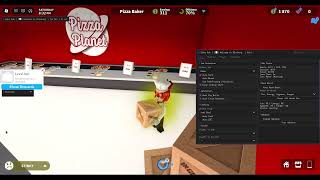

Sa Welcome to Bloxburg, pera ang lahat: pambayad ng bills, pambili ng furniture at pampagawa ng pangarap mong bahay. Pero mabagal kumita sa mga trabaho sa bayan kung manual. Ang ZekeHub Bloxburg script ay may job Auto Farm na may Fast Mode, Anti Faint at Never Ending Shift, kaya tuloy-tuloy ang shift mo, at kusang umuuwi ang Auto Mood para i-boost ang moods mo bago bumalik sa trabaho.
Kasama rin ang Auto Skill, Auto Cook na may Auto QTE, Student Farm at Auto Pay Bills. Para sa builders, kaya ng House Builder na kopyahin ang bahay ng ibang player, i-save ang sarili mong bahay, at i-build ito sa plot mo, may cloud database pa para mag-share ng bahay gamit ang ID. Para ito sa mga gustong mag-ipon ng pera habang AFK, at sa mga gustong may magandang bahay nang hindi naglalagay ng bawat item isa-isa.
Ano ang kayang gawin ng Bloxburg script
- Job Auto FarmNagtatrabaho sa napili mong job, may Fast Mode at Auto Break sa pagitan ng shifts.
- Auto MoodUmuuwi para i-boost ang moods na bumaba sa threshold, tapos bumabalik sa trabaho.
- House Copy at BuildKinokopya ang bahay ng ibang player o ang sarili mo, at binubuo ito sa plot na may build permission ka.
- House DatabaseI-upload ang bahay sa cloud at kunin ito ulit gamit ang House ID.
- Auto Skill at CookingNagle-level ng skill gamit ang items sa plot mo, at nagluluto nang may Auto QTE.
- Daily GhostsIbinabalik ang nawawalang item ng bawat ghost para sa $10,000 at Blockbux milestones, may Ghost Patrol pa.
- AutomationAuto Pay Bills, Student Farm at Discord webhook para sa earnings mo.
- Low GraphicsInaalis ang textures at shadows, o tuluyang pinapatay ang rendering, para mas mataas ang FPS habang nagfa-farm.
Lahat ng 67 features ng Welcome to Bloxburg
Eksaktong nakasulat ang pangalan ng bawat feature gaya ng nasa in-game menu, sa English.
Ipakita ang lahat ng 67 featuresBuksanIsara
Job Farm
- Select Job
- Select Job (default Baker)
- Auto Farm — Automatically farm selected job
- Fast Mode — Instantly gets you (and your job vehicle) to each stop instead of walking or driving
- Job Pace (default Legit) — How long to wait at each stop: Legit takes as long as walking/driving would, Fast takes half, Instant goes straight away
- Road Pathfinding (Vehicles) — Only shows when Fast Mode is off - drive job vehicles along the roads instead of taking the fastest route
- Anti Faint — Stops the game sending you home when a mood hits 0
- Never Ending Shift — Stops the game ending your shift when you leave the work area
- Auto Break — Takes breaks between shifts at slightly random times so your playtime looks natural
- Work For (min) (10 to 180, default 45)
- Break For (min) (1 to 60, default 10)
Student Farm
- Student Farm — Automatically attends and completes school classes
- Classes (default Science) — Multi-select - which classes to attend
Auto Skill
- Auto Skill — Levels the chosen skill using items on your plot
- Skill (default Art)
Auto Mood
- Auto Mood — Goes home to boost any mood that drops below the threshold, then goes back to work
- Boost Below % (5 to 100, default 30)
- Moods (default Fun) — Multi-select - which moods to boost
- Boost Moods Now — Manually boost all moods immediately
Cooking
- Auto Cook — Automatically cook selected food
- Food — Populated dynamically
- Auto QTE — Automatically complete cooking QTE events
Automation
- Auto Pay Bills — Automatically pays house bills when due
- Auto Close Paycheck — Hides paycheck notification while auto farming
Webhook
- Enable Webhook — Send earnings to Discord webhook
- Webhook URL — Text input - Discord webhook URL
- Delay (sec) (10 to 300, default 60)
- Test Webhook — Test your Discord webhook
House Builder
- Player to Copy — Choose a player whose house to copy
- Player to Copy — Populated dynamically
- Save As (optional)
- Save As (optional) — Text input - leave blank for auto-name
- Copy Player House — Copy the selected player's house
- Save My House — Save your own house to file
- Select House — Choose a saved house to load
- Select House — Populated dynamically
- Show Preview — Show a preview of the selected house
- Destroy Preview — Remove the house preview
- Hide Roof — Hides the roof on the house preview
- Hide Walls (look inside) — Hides the walls on the house preview so you can see inside it
- Load House — Load the selected house (double-click)
- Delete Selected — Delete the selected house file (double-click)
House Database
- Upload Selected House — Upload the selected house to the cloud database
- House ID
- House ID — Text input - cloud house ID (e.g. bx7k2m)
- Fetch by ID — Fetch a house from the cloud by ID
- Download to Local Houses — Saves the fetched cloud house to your local house list
Build Controls
- Pause Build — Pause the current build
- Abort Build — Abort current build (double-click)
Build Settings
- Build Target — Which plot to build on (you need build permission)
- Build Target (default My Plot)
- Refresh Plots — Refresh the Build Target dropdown
- Use Blockbux Items — Allow placing items that cost Blockbux
- Place Vehicles — Allow placing vehicle items
- Use Inventory Items — Places items you already own from your inventory instead of buying new ones. Only places as many as you have
- Unlock All Gamepasses — Unlocks Advanced Placing no-collision. Floors, large plot, resize and basements stay locked
- Auto-Build Debug Log — Writes one formatted JSON file per build to ZekeHub/Bloxburg/BuildLogs, named after the house and the build time
Daily Ghosts
- Auto Daily Ghosts — Talks to the ghost, fetches its lost item and hands it back. $10,000 per ghost plus Blockbux milestones
- Include Missed Days — Also does ghosts from earlier days. They only pay 25%, but still count toward the milestones
Ghost Patrol
- Auto Ghost Patrol — Rents a Ghost Patrol Cruiser, drives to each ghost, captures 3 and drops them off. Loops forever
Movement
- Auto Sprint — Always run instead of walk
- Low Graphics — Strips materials, textures, shadows and effects and uncaps your FPS
- Disable Rendering — Stops drawing the world entirely for maximum FPS while farming
Teleport
- Select Player — Choose a player to teleport to their plot
- Select Player — Populated dynamically
- Teleport to Plot — Teleport to selected player's plot
- Select Location — Choose a fast travel location to teleport to
- Select Location — Populated dynamically
- Teleport to Location — Teleport to the selected location
Vehicle
- Vehicle Mod — Enable vehicle modifications
- Forward Speed (0.1 to 10, default 1)
- Reverse Speed (0.1 to 10, default 1)
- Turn Speed (0.1 to 10, default 1)
- Suspension Height (0.1 to 5, default 1)
- Max Lean (0.1 to 5, default 1)
- Pitch Change (0.1 to 5, default 1)
Weather
- Time of Day
- Time of Day (default Noon)
- Change Time — Enable time override
Player Stats
- Select Player — Select a player to view stats
- Select Player — Populated dynamically
- View Stats — View selected player's stats (money, moods, skills)
Messages
- Title
- Title (default Alert) — Text input - title of the alert or message box
- Message
- Message (default Message) — Text input - text of the alert or message box
- Send Alert — Send alert box
- Send Message — Send message box
Paycheck
- Job ID
- Job ID (default BensIceCreamSeller) — Text input - job ID shown on the paycheck
- Base Pay
- Base Pay (default 100) — Text input - numeric
- Bonus Pay
- Bonus Pay (default 50) — Text input - numeric
- Show Paycheck — Display custom paycheck
Menu
- Unload — Unload the script
- Menu Keybind
- Menu bind (default key End)
Interface
- Watermark — Shows the stats watermark on screen
- Keybind list — Shows the active keybinds list on screen
Mga madalas itanong tungkol sa Welcome to Bloxburg script
01Magkano ang Bloxburg script?
Kasama ito sa ZekeHub hub key: £6.99 kada buwan (30 araw) o £18.99 para sa Lifetime. Walang free tier ang ZekeHub, pero isang key lang ang kailangan para sa lahat ng script nito. Tinatanggap ang card, PayPal, crypto at Robux.
02Kaya ba nitong i-build ang bahay ng ibang player?
Oo. Pumili ng player sa House Builder, kopyahin ang bahay niya, at i-load ito sa plot kung saan may build permission ka. Puwede mo muna itong i-preview, itago ang bubong o pader para makita ang loob, at piliin kung gagamit ng Blockbux items o ng mga item na nasa inventory mo na.
03Paano ito patakbuhin?
Pumasok sa Welcome to Bloxburg, i-inject ang executor, at i-execute ang ZekeHub loadstring. Gumagana ito sa mga major na executor; i-check ang Executors page para sa kasalukuyang listahan.
04Naa-update ba ito kapag nag-update ang Bloxburg?
Linggo-linggo naming ina-update ang script, at ang loader ang kumukuha ng pinakabagong version tuwing ie-execute mo. Wala kang ida-download ulit.
05Anong wika ang menu?
English ang menu sa loob ng game, kasama ang mga pangalan gaya ng Auto Mood at House Builder. Halata naman sa pangalan kung ano ang ginagawa ng karamihan sa features.
More questions? See the full FAQ →